1
1. Introduction
Thank you for choosing SkyATA, the compact analog telephone adapter for
Skype™ application. SkyATA allows you to make PC to PC free calls or PC to
landline calls through SkypeOut™ at very low rates anytime, anywhere. You can
make long distance calls or even international calls at dramatically low cost via
Skype using regular phones. By connecting SkyATA with a cordless phone or a
DECT phone, you can make/ receive a Skype call through the handset without
having to stay close to your computer.
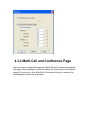
SkyATA provides a simple and convenient way of making a Multi-Call (call
switching among multiple Skype contacts) or a Conference call (talking to several
Skype contacts simultaneously) via dialing phone keypad. With SkyATA's easy
and friendly User-Interface, you can make Skype calls in the similar way as you
can do with the traditional landline.
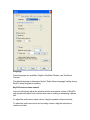
Skype doesn’t support Speed Dial function after version 4.0, you can set a speed
dial number for a Skype contact or a SkypeOut contact from SkyATA Speed Dial
setting page. Speed dial number can be up to 5 digits 0~9 Arabic numerals.
Now SkyATA also supports other IM/Softphone(such as QQ, MSN, Google voice)
as an audio device. User can make/receive an IM call from PC and then pick up
phone for conversation.
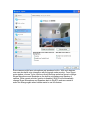
Latest SkyATA device can integrate Skype video function and web camera to let
you monitor home remotely. And it is easy and free. With Remote Monitor function
enabled, you can make a Skype call to home’s Skype account which is running
with SkyATA. After pressing the preset password, SkyATA will automatically pick
up the incoming Skype call and enable Skype video. With a smart phone which
supports Skype video, you can easily make a Skype call to check home status.
Many IP CAMs need to have a fixed IP address for remote access, but there is no
such limit for SkyATA. Even when you travel abroad, it is easy and free to care
your pets at home. And SkyATA also supports Skype recording.
The document of SkyATA comprises of several parts as following: A quick
installation guide can help you install and use SkyATA quickly. For any questions
about this product, please refer to the SkyATA user manual or SkyATA on-line
help. On-line help can be accessed from the SkyATA system tray icon at the
right-bottom corner of Windows desktop once the SkyATA AP program is running.
Also, FAQs (Frequently Asked Questions) can be found from on-line help and
user manual. For further questions, please feel free to contact us directly. Thank
you again.