1
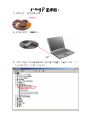
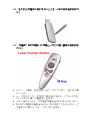
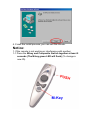
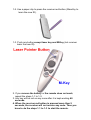
1-2. Use a paper clip to press the receiver red button (Stand by to
learn the new ID).
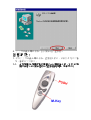
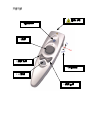
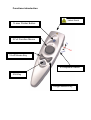
1-3. Push any button except laser key and M-Key (Let receiver
learn the new ID).
2. If you remove the battery or the remote does not work,
repeat the steps 1-1 to 1-3.
3. Any key will be not on any more after it is kept working 40
seconds.
4. When the receiver red button is pressed more than 5
seconds, the receiver will not receive any code. Then you
have to do the steps 1-1 to 1-3 to start the remote.