1
SwitcHub-7s User’s Guide
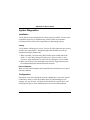
System Diagnostics
Installation
Verify that all system components have been properly installed. If one or more
components appear to be malfunctioning, then test them in an alternate
environment where all the other components are functioning properly.
Cabling
Verify that the cabling type is correct. Be sure all cable connectors are securely
seated in the required ports. Straight-through cable should be used for all
standard twisted-pair connections.
1. When cascading 2 switches using RJ-45 station ports at both ends of the
cable (i.e., not a daisy-chain port), make sure a crossover cable is used.
Crossover cable should only be used if a daisy-chain port is not available.
2. Make sure all devices are connected to the network. Equipment may have
been unintentionally disconnected from the network.
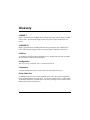
External Adapters
Make sure the network adapter cards installed in the workstations are in good
working condition.
Configuration
If problems occur after altering the network configuration, restore the original
connections, and try to track the problem down by implementing the new
changes, one step at a time. Ensure that cable distances, repeater limits, and
other physical aspects of the installation do not exceed recommendations.
A-2
Troubleshooting