1
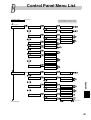
5.3 List of Menu Items
5.3.3
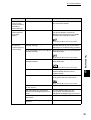
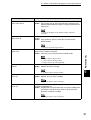
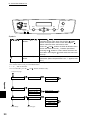
Parallel
Use this to configure the parallel interface.
ECP
Use this to configure the ECP communication mode of the parallel interface.
●
Enabled (default)
The printer receives data in ECP mode.
●
Disabled
The printer does not receive data in ECP mode.
5.3.4
Control Panel
5
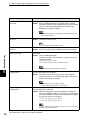
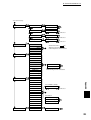
Report/List
Use this to print the various reports and lists.
Reports and lists are printed on A4 paper. Set the A4 paper lengthwise into the paper tray.
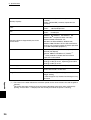
Printer Settings
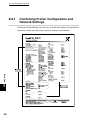
This is a list of the hardware installed and detailed configuration.
For an example of the Printer Settings, refer to "8.4.1 Confirming Printer Configuration and Network
Settings".
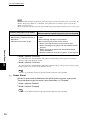
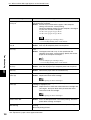
Panel Settings
This is a detailed list of all the settings in the control panel menus.
PCL6 Fonts List
This is a list of the available PCL6 data fonts.
Job History
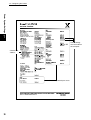
This is a detailed list of the processed print jobs (maximum 22). Use this list to
confirm that jobs were printed correctly.
For an example of the Job History Report, refer to "8.4.2 Checking the Print Log".
122