1
Chapter 12: Junos OS Configuration Statements and Commands
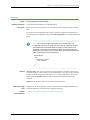
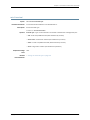
A commit check is performed when you issue the commit at configuration mode command.
If the result of the check is successful, then the current user is logged out of configuration
mode, and the configuration data is left in a read-only state. No other commit can be
performed until the scheduled commit is completed.
NOTE: If Junos OS fails before the configuration changes become active, all
configuration changes are lost.
You cannot enter the commit at configuration command when there is a
pending reboot.
You cannot enter the request system reboot command once you schedule a
commit operation for a specific time in the future.
You cannot commit a configuration when a scheduled commit is pending.
For information about how to use the clear command to cancel a scheduled
configuration, see the CLI Explorer.
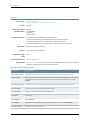
and-quit—(Optional) Commit the configuration and, if the configuration contains no
errors and the commit succeeds, exit from configuration mode.
check—(Optional) Verify the syntax of the configuration, but do not activate it.
comment <"comment-string">—(Optional) Add a comment that describes the committed
configuration. The comment can be as long as 512 bytes and must be typed on a single
line. You cannot include a comment with the commit check command. Enclose
comment-string in quotation marks (" "). For example, commit comment "Includes changes
recommended by SW Lab".
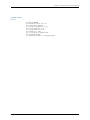
confirmed <minutes>—(Optional) Require that the commit be confirmed within the
specified amount of time. To confirm a commit, enter either a commit or commit check
command. If the commit is not confirmed within the time limit, the configuration rolls
back automatically to the precommit configuration and a broadcast message is sent to
all logged-in users. To show when a rollback is scheduled, enter the show system commit
command. The allowed range is 1 through 65,535 minutes, and the default is 10 minutes.
In Junos OS Release 11.4 and later, you can also use the commit confirmed command in
the [edit private] configuration mode.
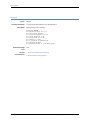
display detail—(Optional) Monitors the commit process.
NOTE: In Junos OS Release 10.4 and later, if the number of commit details
or messages exceeds a page when used with the | display detail pipe option,
the more pagination option on the screen is no longer available. Instead, the
messages roll up on the screen by default, just like using the commit command
with the | no more pipe option.
Copyright © 2015, Juniper Networks, Inc.
261