1
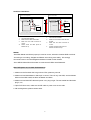
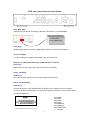
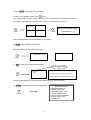
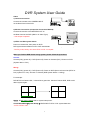
Hard Disk installation:
1
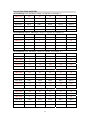
How to connect single HDD
2
I/O BOARD
1
How to connect 2 HDD
I/O BOARD
2
1
1
MASTER
tie
2
2
MAIN BOARD
HDD1
3
MASTER
MAIN BOARD
3
HDD
SLAVE
HDD2
3
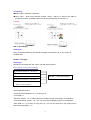
Set the drive jumpers as specified by hard disk drive manufacturer.
Set the drive jumpers as specified by hard disk drive manufacturer.
One hard disk installed.
1.
Two hard disk installed.
2.
Make sure the HDD is MASTER.
2.
Make sure the HDD is MASTER and
3.
Make sure the cable connector is
1.
SLAVE.
3.
correct.
4.
Make sure the cable connector is
correct.
Please check the HDD panel for
4.
Master set up.
Please check the HDD panel for
Master and Slave set up.
Notice:
-Hard Disk Master and Slave jumper pin must be correct, otherwise it makes DVR work fault.
-According to our testing, Seagate and Maxtor are working more stably . We strongly
recommend user to choose Seagate and Maxtor instead of other brands.
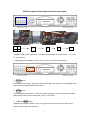
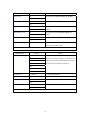
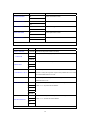
-Go to MENUÆHard Disk Information to make sure all HDDs are all detected.
After DVR power on, No hard disk detected?
1. Make sure the first hard disk is a good one. Else, please try second.
2. Make sure hard disk Master or Slave pin is correct. There is only one HDD, set it as Master.
With two hard disk install, set them as Master and Slave.
3. Make sure hard disk IDE cable and power core, plug in tight. The removable hard disk also
plug in, too,
4. Open DVR front case, make sure all IDE cable or power core are not relax.
5. Still nothing detect, please contact sales.
2