1
WELCOME ................................................................. 1
Features ............................................................... 1
System Requirements ............................................... 1
Before You Start ...................................................... 2
Connecting your Bluetooth USB Adapter with PC ................ 2
Printer Combo Adapter .............................................. 2
Getting to Know Your Printer Combo Adapter .................... 3
Function of LEDs During Printing ................................... 3
WIDCOMM BLUETOOTH SOFTWARE DRIVER ........................... 4
UPDATE BLUETOOTH DRIVER ............................................ 6
SELECT BLUETOOTH SERVICES .......................................... 9
MY BLUETOOTH PLACES ................................................ 11
ADD LOCAL PRINTER.................................................... 13
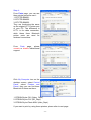
START PRINTING......................................................... 14
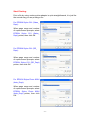
CHANGE PRINTER ....................................................... 15
MULTIPLE PRINTER COMBO ADAPTERS ............................... 17
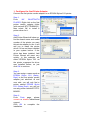
Configure the first Printer Adapter .............................. 18
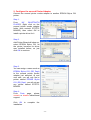
Configure the second Printer Adapter ........................... 19
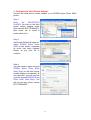
Configure the third Printer Adapter .............................. 20
Start Printing ........................................................ 22
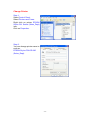
Change Printer ...................................................... 23
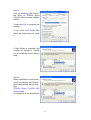
PRINTER ERROR MESSAGE .............................................. 25
CANCEL PRINTING JOB ................................................. 26
RESET HANGED BLUETOOTH ........................................... 26
APPENDIX A .............................................................. 27
APPENDIX B .............................................................. 28
FCC........................................................................ 29
WARRANTY ............................................................... 30
-2-