1
OVERVIEW OF THE PERFORMANCE MONITOR(PM)
For more detailed information about using the Performance Monitor, please visit concept2.com/pm.
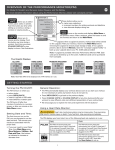
These buttons allow you to:
• make menu selections
• increment numbers for setting workouts and date/time
• view alternate displays while skiing
allows you to select
meters, pace, watts or calories.
Push this button any time while
setting up a workout, skiing or
viewing results.
allows you to
choose another display. Push
this button any time while skiing.
Each time you press [CHANGE
DISPLAY] a new display is
shown. See below.
LogCard – when a LogCard is present, workout data will be stored
on the LogCard. After your workout, return to the Main Menu before
removing the LogCard to ensure proper storage of data. (If no LogCard
present, data is stored in Memory.) Use the “Concept2 LogCard
Utility” to back up your LogCard data to your PC. (USB cable provided)
Note: A LogCard is provided with every Performance Monitor (PM).
Each card can be shared by up to five users. Additional cards can be
purchased from Concept2.
Five Graphic Displays
ALL DATA
turns on the monitor and displays Main Menu
or the previous menu. After a workout, press this button to
end the workout and return to the Main Menu.
FORCE CURVE
PACESKIER
BAR CHART
LARGE PRINT
Note: Heart Rate (HR) will be displayed only if HR Interface is in use.
GETTING STARTED
Turning the PM On/Off:
General Operation:
The PM will turn on when you:
• The PM automatically displays your workout data as soon as you start
skiing. It is not necessary to press any buttons if you do not want to.
•
•
•
•
start to pull
press [MENU/BACK]
insert a LogCard or USB cable
insert batteries or battery pack
The PM turns off after four minutes of inactivity
on a workout screen, or after one minute on the
Main Menu screen.
Setting Date and Time:
The first time you turn on the PM, you are
prompted to set the date and time. This ensures
your results are associated with the proper date.
• Press [MENU/BACK] to go back to the previous display.
• Press [CHANGE UNITS] or [CHANGE DISPLAY] at any time during and
after your ski to view different units and a different presentation of your
workout data.
• We encourage you to explore the menu and experiment with the buttons!
Using a Heart Rate Monitor:
The PM displays your heart rate if one of the following heart rate systems
is in use:
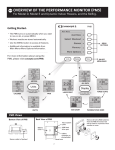
• If you ever need to re-set Date/Time, from
Main Menu press More Options > Utilities >
Set Date and Time. Use buttons as indicated
to increase or decrease time.
11
PM3
PM4
The PM3 will receive heart
rate transmission from a
Polar™ chest belt IF the
optional Concept2 Heart
Rate Receiver (available
from Concept2) is in use
and plugged into the PM3.
The PM4 will receive heart rate
transmission from a Polar™ chest belt
IF the optional Concept2 Heart Rate
Receiver (available from Concept2) is in
use and plugged into the PM4.
Not available.
The PM4 will receive heart rate
transmission directly from a Suunto™,
Garmin™ or ANT+SPORT™ chest belt. See More Options for set up.