1
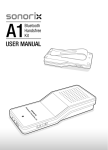
[english] user manual • trb1000
What’s Included in the Package
[english] user manual • trb1000
Description of Parts
MFB
(Multi-function button)
Bluetooth Rubber Gel
Headset
(2 sizes)
Charger
cradle
Phone clip
AC/DC
Charger
Adapter
User
manual
Volume
down
(-)
Volume
up
(+)
Charging the trb1000 Battery
Pairing with Bluetooth Device
• Before using the headset, charge the
battery for at least 2 hours.
• To put trb1000 in pairing mode, in OFF
state, click and hold MFB continuously
until LED will changes to alternating
red and blue flash. Pairing mode lasts
for 3 minutes, after this period trb1000
returns to standby mode.
• To charge, first plug in the standard
USB into USB port of charger adapter
body as shown and then plug the
charger adapter into power supply.
Then mount headset onto cradle.
• The headset battery can also be
charged by connecting the charger
cradle with PC using USB cable.
• During charging, headset LED will light
up red and when fully charged, LED
will turn blue.
Necklace
LED (2-color)
• From a Bluetooth device, search for
devices and establish the connection.
If prompted for pinkey, enter ‘0000’
which is the pinkey for trb1000. When
connected, the LED will turn OFF.
Switching the trb1000 ON/OFF
• To switch on trb1000, click and hold
MFB until Headset LED lights up blue
and change to periodic flashing blue.
• To switch off trb1000, click and hold
MFB until Headset LED lights up red
and then turn OFF.