1
14
15
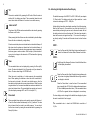
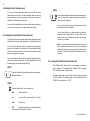
4.2.2. Setting the Customized Alarm Threshold Levels
The dose rate and dose alarm threshold levels can be custom set by the
user. To be able to set the customized alarm threshold levels you must
first start the meter in custom mode (Step 1). In the custom mode, the
meter operates in a normal way. However, when setting the alarm
thresholds, the predefined threshold values will not be displayed.
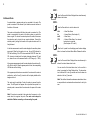
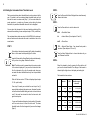
STEP 2.
Press the Dose and the Alarm Display buttons simultaneously.
Release the buttons.
STEP 3.
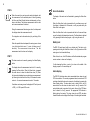
Press the Dose button to view the alarm units.
You can return the instrument into the normal mode by switching off the
meter and then switching it on as usual (see chapter 3.2 On -push button).
drAL
= Dose Rate Alarm
The customized alarm levels are stored in the NVRAM of the instrument
and are therefore active also when the meter is switched on later in the
normal mode.
Int
= Internal Alarm. (See chapters 4.3 and 8.)
STEP 1.
CPS = External Probe Alarm, if an external beta probe is
connected. (See chapters 4.2.3 and 8.)
doAL = Dose Alarm
First switch on the meter by pressing the On button. Immediately
after or at the same time as pressing the On button
press the Dose and the Alarm Display buttons simultaneously,
until you hear a long bleep. Release the buttons.
Note! The buttons must be pressed when the version number
of the meter is displayed. If you press the buttons later than
this, the instrument will go into the normal mode, where you
can select the alarm threshold levels only from the pre-defined
values list.
Press the Alarm Display button to choose the alarm unit you
want. Release the button.
STEP 4.
Select the decade by shortly pressing the Dose button until
you have the desired decade. The change of the decade is
indicated by the digit value on the display and scaling led.
The decades for dose rate are
Wait until the dose rate or CPS rate is displayed (see chapter
3.2. On -push button).
From step 2. forward you must take the next step in five (5)
seconds after performing the previous one, otherwise the meter
will exit the alarm threshold setting and return to show the dose
rate. If the meter has returned to show the dose rate, start
again from step two.
You can exit the alarm setting at any time by waiting 15 seconds
until the meter returns to show the dose rate. The alarm
threshold levels will not be changed until you save the changes
(Step 6).
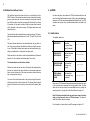
Numeric
LED
Possible range of
alarm level
I
xx.x
µSv/h
0 - 99.9 µSv/h
II
xxx
µSv/h
0 - 999 µSv/h
III
x.xx
mSv/h
0 - 9.99 mSv/h
IV
xx.x
mSv/h
0 - 99.9 mSv/h
V
xxx
mSv/h
0 - 999 mSv/h
Doc. No 2096 3638 Ver. 3.2