1
I n t r o d u c t i o n
Chapter1 Quick Reference
...................................................................
5
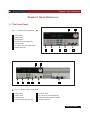
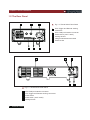
1.1 The Front Panel
···················································································· 5
1.2 The Rear Panel
···················································································· 6
1.3 Preliminary Checkout
···················································································· 7
1. Check the list of supplied items
··································································· 7
7
2. Connect the power cord and turn on the power supply ··································
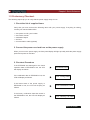
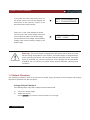
3. Checkout Procedure
···················································································· 7
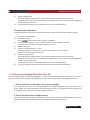
1.4 Output Checkout
···················································································· 8
9
1.5 If the power Supply Does Not Turn On
······························································
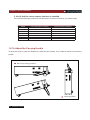
1.6 To Adjust the Carrying Handle ···················································································· 10
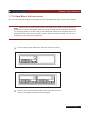
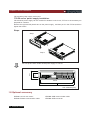
1.7 To Rack Mount the Instrument ···················································································· 11
1.8 Optional accessory
···················································································· 12
Chapter 2 Specifications
...................................................................... 13
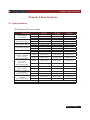
2.1 Specifications
····················································································
IT6120 Series DC Power Supply
······························································
IT6150 Series High Resolution Power Supply
·················································
2.2 Supplemental Characteristics ····················································································
Chapter 3 Front-panel Operation
13
13
14
14
..................................................... 17
3.1Keyboard Disposal
····················································································
Multiple Key Instruction
····················································································
Function Key Instruction ····················································································
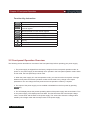
3.2 Front-panel Operation Overview ····················································································
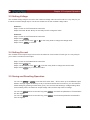
3.3 Setting Voltage
·····················································································
3.4 Setting Current
····················································································
3.5 Saving and Recalling Operation
·······························································
3.6 Menu Operation
····················································································
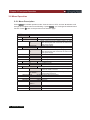
3.6.1 Menu Description
····················································································
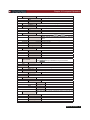
3.6.2 Menu Function
····················································································
3.7 Output Operation
····················································································
3.8 Remote Sense
····················································································
3.9 Milliohm Meter
····················································································
3.10 Voltage Meter
····················································································
17
17
18
18
19
19
19
20
20
22
27
27
28
29
Chapter 4 Remote Operation Mode ......................................................... 30
4.1 Communication cable
····················································································
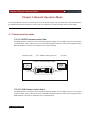
IT-E131 RS232 Communication Cable
······························································
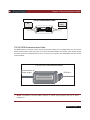
IT-E132 USB Communication Cable
······························································
IT-E135 GPIB Communication Cable
······························································
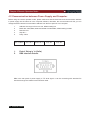
4.2 Communication between Power Supply and Computer ············································
2
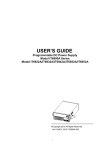
USER’S GUIDE
30
30
30
31
32