1
II
Contents
Chapter 1 – Introduction................................................................................................... 1
1.1
1.2
1.3
1.4
1.5
1.6
1.7
1.8
1.9
About data-loggers and sensors............................................................................ 1
About logger sensors ............................................................................................ 2
Plug and play system ............................................................................................ 2
Modes of operation ............................................................................................... 3
Data display and analysis...................................................................................... 4
About this User Guide ........................................................................................... 5
Computer requirements......................................................................................... 5
Safety instructions................................................................................................. 6
Environmental conditions ...................................................................................... 6
Chapter 2 – Basic Setup................................................................................................... 7
2.1
2.2
2.3
2.4
2.5
2.6
Installation............................................................................................................. 7
Logger sensors main screen ................................................................................. 7
Connecting a sensor ............................................................................................. 8
Sensor module box ............................................................................................... 9
Color ..................................................................................................................... 9
Temperature sensor module setup...................................................................... 10
Chapter 3 – On-line Experiment Mode........................................................................... 12
3.1
3.2
3.3
3.4
3.5
3.6
3.7
Setting up an on-line experiment......................................................................... 16
Running an on-line experiment............................................................................ 21
Running an on-line experiment with trigger ......................................................... 32
Plotting an XY graph ........................................................................................... 40
Single step mode ................................................................................................ 50
Using photogates ................................................................................................ 75
Video – record, play back and save with data ..................................................... 90
Chapter 4 – Off-line Experiment Mode .......................................................................... 95
4.1
4.2
4.3
The off-line experiment mode menu .................................................................... 95
Off-line experiment with battery module .............................................................. 96
Off-line experiment mode with a PC .................................................................. 115
Chapter 5 – Using the RF Communication Modules .................................................. 130
5.1
5.2
5.3
RF With a PC .................................................................................................... 130
RF With a PC and Groups of sensors ............................................................... 130
RF with the Monitor Display Unit (MDU) ............................................................ 131
Chapter 6 – Saving, Loading, Printing & Exporting to a Spreadsheet ...................... 132
6.1
6.2
6.3
6.4
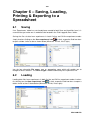
Saving............................................................................................................... 132
Loading ............................................................................................................. 132
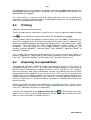
Printing.............................................................................................................. 133
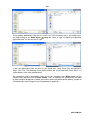
Exporting to a spreadsheet ............................................................................... 133
Chapter 7 – Edu-Logger®TM Tools ............................................................................... 136
7.1
7.2
7.3
7.4
7.5
7.6
7.7
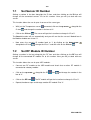
Set Sensor ID Number ...................................................................................... 137
Set RF Module ID Number ................................................................................ 137
Restoring sensors’ factory defaults.................................................................... 138
Producing and saving instructions with and without the software configuration . 140
Set significant figures ........................................................................................ 148
Restore USB ..................................................................................................... 148
Language Select ............................................................................................... 148
EDU-LAB LTD