1
3
Contents
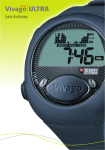
Vivago® Personal Wellness Manager User manual
Vivago Personal Wellness Manager Using the Vivago® Personal Wellness Manager
Fastening the watch The buttons function Using the Vivago® Personal Wellness Manager
Setting mode In the set up mode the buttons work as follows: 1. Setting time and date
1.1 Setting the time
1.2 24/12h display
1.3 setting the year
1.4 Setting the month
1.5 Setting the day
1.6 Type of date field
2. Setting the alarm
2.1 Alarm on/off/automatic snooze
2.2 Setting the wake-up time 3. Other settings
3.1 Setting the limit value for sleep 3.2 Resetting the memory 5. Calorie expenditure settings
5.1 Setting the weight
5.2 Setting the height
5.3 Setting the age (year of birth)
5.4 Setting the sex
5.5 Setting the user activity type What does Vivago Personal Wellness Manager tell you?
1. Watch
2. Alarm (WAKE)
3. SLEEP
3.1 Last nights sleep time
3.2 Average sleep time (ST 7d, Sleep Time 7days)
3.3 Average sleep time (ST 4w, Sleep Time 4 weeks)
3.4 The shortest sleep time, 4 days (ST 7d, Sleep Time 4 days, MIN) 3.5 The longest sleep time, 7 days (ST 7d, Sleep Time 7 days, MAX)
4. Activity (ACTIVITY)
4.1 Activity today (AC 1d, Activity today) 4.2 Daytime activity
4.3 Average activity (AC 4w, Activity 4 weeks)
4.4 Changes in activity (AC CH, Activity Change)
5. Calorie expenditure (CAL)
5.1 Today’s cumulative calorie expenditure (CAL cu)
5.2 Yesterdays calorie expenditure 5.3 Changes in the expenditure of last 7 days (CAL 7d) Using the Vivago wellness watch Using water when doing housework Shower, bath and sauna Removing and storing the watch Cleaning the watch Charging the watch Maintenance Liability Warranty Important!
4
4
5
5
5
6
6
6
7
7
7
7
7
7
7
8
8
8
9
9
9
10
10
10
10
10
10
11
11
11
11
11
12
12
12
12
12
12
12
13
13
13
13
13
13
14
14
14
14
14
14
15
15
15
15