1
1
Quickstart
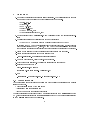
1. Make sure the following softwares are already installed. The versions indicated here are
the ones that have been tested but other versions might work as well.
•
•
•
•
•
•
gcc (4.6.3, 4.1.2)
Python (2.7)
ROOT (5.34.04)
Geant4 (4.9.5.p02)
NA62MC (rev 245, 255)
NA62Reconstruction (rev 245, 255)
2. Get the sources at http://nicolaslurkin.eu/svn/AnalysisFW/trunk (or /tags for stable version)
3. The following environment variables have to be set beforehand:
•
NA62MCSOURCE : should point to where is the source code of NA62MC
In addition, the ROOT and Geant4 install should be properly congured. Beware to always
use the same version of ROOT, Geant4, NA62MC and NA62Reconstruction as the ones
that were used to generate and reconstruct the data or strange behaviors might be observed.
4. Create a work directory where the personal code will be stored and compiled.
5. Create the required structure in the work directory with
./build_AnalysisFW.py prepare pathToWorkDirectory
6. Go in the work directory, verify the env.sh and source it.
7. Edit the cong le (section 1.1) to select the analyzers that needs to run/
8. Build the Framework with :
build_AnalysisFW.py config
(see section 1.2 for usage of build_AnalysisFW.py )
9. Run
./executable -i inputFile.root -o outputFile.root -v 1
1.1 Conguration le
The conguration le is very simple and allows to have dierent congurations with a single
instance of the code.
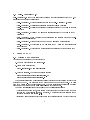
A conguration is dened by two elements :
•
analyzers : A list of analyzers to run
•
exec : The name for the generated executable
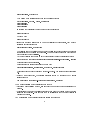
Analyzer folder of the
Examples folder of the FW) and user analyzers (located
The list of analyzers can contain ocial FW analyzers (located in the
FW), example analyzers (located in the
in the
Analyzer folder of the work directory).
3