1
NetworX Version 3 Installation Manual
3
Table of Contents
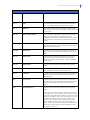
Preface ................................................................................................................................................................ 9
Safety terms and symbols.............................................................................................................................................. 9
References............................................................................................................................................................................. 9
Section A Installing and programming a basic system ...........................................................................10
Chapter A1 Introducing the NetworX V3 system......................................................................................11
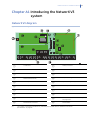
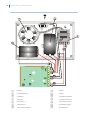
NetworX V3 diagram ......................................................................................................................................................11
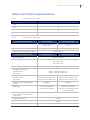
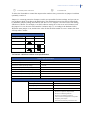
NetworX V3 technical specifications.......................................................................................................................13
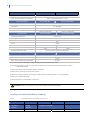
Auxiliary current and battery capacity ....................................................................................................14
NetworX V3 system .........................................................................................................................................................15
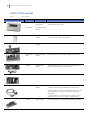
Parts of the system..........................................................................................................................................................16
Keypads ................................................................................................................................................................................19
Wireless keypad..................................................................................................................................................19
LCD icons ...............................................................................................................................................................22
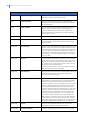
Chapter A2 Installation guidelines ..............................................................................................................25
Mains power connection ..............................................................................................................................................25
Mounting ..............................................................................................................................................................................25
Wiring guidelines ..............................................................................................................................................................26
Defaulting the panel .......................................................................................................................................................26
Chapter A3 Installing a basic system..........................................................................................................27
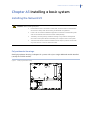
Installing the NetworX V3 .............................................................................................................................................27
Polycarbonate housings .................................................................................................................................27
Installing the keypad.......................................................................................................................................................29
Mounting the wireless keypad.....................................................................................................................29
Mounting the wired keypad ..........................................................................................................................30
Wireless keypad learning-in procedure ..................................................................................................32
Installing the wireless sirens .......................................................................................................................................33
Installing the wireless sensors ...................................................................................................................................38
Mounting the sensors ......................................................................................................................................38
Sensor learning-in procedure ......................................................................................................................38
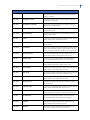
Chapter A4 Programming guidelines..........................................................................................................39
Getting started...................................................................................................................................................................39
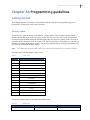
Country codes......................................................................................................................................................39
Powering up the system .................................................................................................................................40
Entering programming mode.......................................................................................................................40
Changing the user interface language....................................................................................................40
Navigating the menus....................................................................................................................................................41