1
TG8412C(e).book Page 21 Tuesday, February 3, 2009 1:41 PM
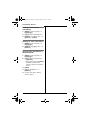
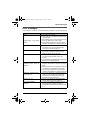
Programming
Feature
Feature
code
Setting code
System
setting*1
Page
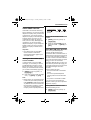
Message alert
{3}{4}{0}
{1}: <On> {0}: Off
–
32
Night mode
(On/Off)
{2}{3}{8}
{1}: On {0}: <Off>
–
23
Night mode
(Start/End)
{2}{3}{7}
<11:00 PM/06:00 AM>
–
24
Register
handset
{1}{3}{0}
–
–
25
Ringer tone*7, *8
(Handset)
{1}{6}{1}
{1}–{3}: Tone <1>–3
{4}–{7}: Melody 1–4
–
–
Ringer volume*9
(Handset)
{1}{6}{0}
{1}: Low {2}: Medium
{3}: <High> {0}: Off
–
–
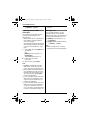
Set dial mode
{1}{2}{0}
{1}: Pulse {2}: <Tone>
r
12
Set flash
time*10
{1}{2}{1}
{0}: 900ms {1}: <700ms>
{2}: 600ms {3}: 400ms
{4}: 300ms {5}: 250ms
{*}: 200ms {#}: 160ms
{6}: 110ms {7}: 100ms
{8}: 90ms {9}: 80ms
r
14
Set line mode*11
{1}{2}{2}
{1}: A {2}: <B>
r
–
Store V.M. no.
(V.M.: Voice Mail)
{3}{3}{1}
–
r
31
Time adjust*12
(Call Display
subscribers only)
{2}{2}{6}
{1}: <Caller ID auto>
{0}: Manual
r
–
V.M. access
(V.M.: Voice Mail)
{3}{3}{0}
–
–
32
VM tone detect
(VM: Voice Mail)
{3}{3}{2}
{1}: <On> {0}: Off
r
31
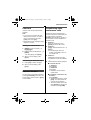
Wallpaper*4, *13
{1}{8}{1}
{1}: <Wallpaper 1>*14
{2}: Wallpaper 2*14
{3}: Wallpaper 3*14
{0}: Off*14
{4}: Wallpaper 1
{5}: Wallpaper 2
{6}: Wallpaper 3
–
–
*1 If “System setting” column is checked, you do not need to program the same item
using another handset.
*2 If you subscribe to a Call Display service and want to view the caller’s information
after lifting up the handset to answer a call, turn off this feature.
21