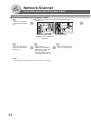
1
Getting To Know Your Machine
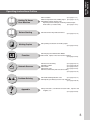
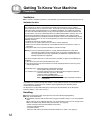
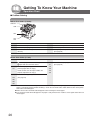
Useful Office Functions
Copy
Fax/Email
• Copy up to Legal size originals.
• Capable of copying text/photos/
halftone originals.
• Plain Paper High-speed Super
G3 compatible Fax with JBIG
compression.
• Quick-Scan
• Quick Memory Transmission
• Email Function capability.
Scan/File
• Monochrome/Color scanner
capability.
• Scanning resolution up to:
Monochrome : 600 dpi
Color
: 300 dpi
• A document can be scanned in
Color.
Print
• Printer controller standard,
printer resolution 300 or 600
dpi.
Application Software
• Document Manager
• Document Viewer
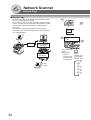
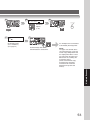
• Network Scanner
• Utilities (Network Status Monitor, Address Book Editor, Network Configuration Editor)
• Panafax Desktop
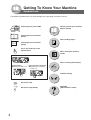
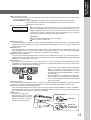
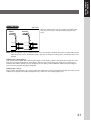
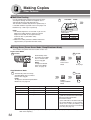
■ The following operating instruction manuals are provided for this machine, please use the correct manual when an
operator intervention is necessary.
<Copy & Network Scan>
Use the information provided on the enclosed CD whenever a Copy & Network Scan
function requires intervention.
For example: How to make copies, add paper, replace the toner cartridge, etc.
<Facsimile &
Internet Fax/Email>
Use the information provided in the DP-190 Facsimile & Internet Fax/Email Operating
Instructions manual whenever a Fax/Internet Fax function requires intervention.
For example: How to send/receive a Fax/Email, or when a trouble message
appears, etc.
<Print &
Other Advanced Functions>
Use the information provided on the enclosed CD for an explanation of how to
use as a Network Printer, Network Scanner, Edit Directory Dialing Feature,
Device Settings, Network Status Monitor, and/or Document Management System.
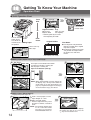
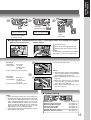
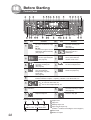
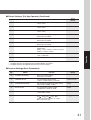
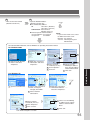
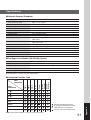
Multi-Tasking Job Table
Current
Job
2nd Job
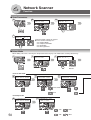
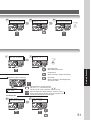
Copy
Network Scanning
(Monochrome/Color)
Internet Fax
GDI/PCL/PS
Printing
Storing
Receiving
Printing
Data Received Data
Document Transmission
Facsimile
(Sending)
Storing
Document
Memory
Transmission
Copy
Copy
Network Scanning (Monochrome/Color), Internet Fax
Storing Document
GDI/PCL/PS Printing
Receiving Data
Printing Receive Document
Facsimile (Sending)
Storing Document
Memory Transmission
Facsimile (Receiving)
Memory Receiving
Printing Received
Memory Data
*
: Accepts and executes the 2nd Job.
: Accepts and executes the 2nd Job (Copy) only if the Current Job is interrupted.
: Accepts the 2nd Job and executes the 2nd Job after the Current Job is completed.
: Not applicable.
2
NOTE
*: HDD (DA-HD19) and additional 16MB (minimum) Image memory are required.
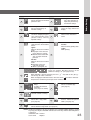
Facsimile
(Receiving)
Memory
Receiving
Printing Received
Memory Data