1
CHAPTER 1 – Starting the Program
Logging In
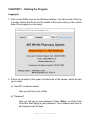
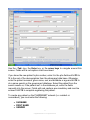
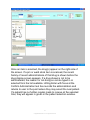
1. Click on the WinRx icon on the Windows desktop. You will now be at the log
in screen. Notice that the box in the middle of the screen tells you the version
date of the program you are using.
2. Follow the prompts at the upper left hand part of the screen, which will ask
you to enter:
a) “User ID” (as shown above)
Here you will enter your initials
b) “Password”
Here you will type in your password. Press <Enter> or hit the Sign
On button after typing in your password. Your password will have to
be changed every 42 days.
6
© Applied Robotics Inc. All rights reserved.