1
Example: To dispense 1 tablet for 14 days and another tablet for 76 days, to
skip 1 day and then repeat.
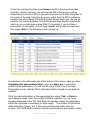
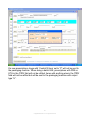
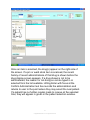
Create 2 prescriptions. For the first, in the definition screen specify 1 in a med
time field, 14 in the ‘Dispense for’ field, and 91 in the repeat field. Hit F10. For
the second, starting at a date 14 days past the starting date of the first, in the
definition screen specify 1 in a med time field, 76 in the ‘Dispense for’ field, and
91 in the repeat field. Hit F10.
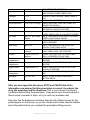
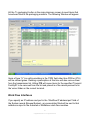
If nothing is entered in the input screen,the prescription will be treated as a
regular nursing home prescription and will not be processed for packaging - except that the label for items with something in the rx PRN field will contain a
barcode for the ECEMR interface consisting of ‘R’ followed by the prescription
number. If “E” is specified in the drug record central fill type field, the item will be
coded as an exception drug for Automed filling. Drug items with a central fill
type of “C” will be packaged by an Automed machine in their own envelope. If
the prn quantity and bag fields are set in the input screen, the prescription will
be filled by the Automed machine as a PRN with the specified number of bags.
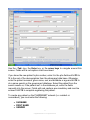
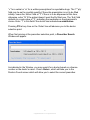
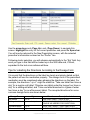
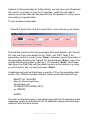
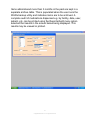
Following parameter input hit F10 to specify the starting date and days supply
for this fill as per in the Window below. In this Window, PgUp and PgDn are
used to set the start date.
52
© Applied Robotics Inc. All rights reserved.