1
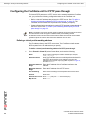
Configuring the FortiGate unit for PPTP VPN
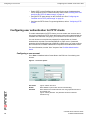
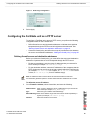
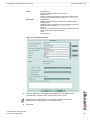
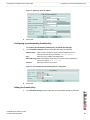
Adding the firewall policy
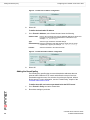
Source
Interface/Zone
Select the FortiGate interface to the Internet.
Address Name
Select the name that corresponds to the range of addresses that
you reserved for PPTP clients (for example, Ext_PPTPrange).
Destination
Interface/Zone
Select the FortiGate interface to the internal (private) network.
Address Name
Select the name that corresponds to the IP addresses behind the
FortiGate unit (for example, Int_PPTPaccess).
Service
Select ANY, or if selected services are required instead, select the
service group that you defined previously.
Action
Select ACCEPT.
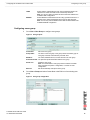
Figure 10: Firewall policy for PPTP
3
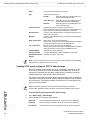
You may enable NAT, event logging, and shape traffic. For details, see the
“Firewall Policy” chapter of the FortiGate Administration Guide.
Note: Do not select Authentication, as this will cause the PPTP access to fail.
Authentication is configured in the PPTP configuration setup.
4
FortiGate PPTP VPN User Guide
01-30005-0349-20070926
Select OK.
21