1
1. Introduction
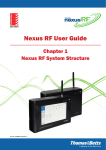
The Area Controller (AC) is an essential part of every Nexus® RF emergency lighting system. The AC provides
the system user complete operational control of their Nexus RF system without the requirement of a dedicated
PC head-end. The AC incorporates a LCD touch screen interface through which an operator can access all of the
system’s configuration, monitoring and reporting functions.
Every Nexus RF system will have at least one AC and on larger installations several AC’s may be used. The
AC offers identical RF functionality as the Area Controller Routers (ACR’s) but in addition provides an operator
interface and optional battery backup. The battery backup enables the AC to be utilised in certain situations as a
mobile device for system diagnostic purposes.
The user interface provided by the AC is very intuitive and once an operator has a basic grasp on the main menu
options available it is generally easy to locate the general functions of the system. It is the aim of this chapter to
provide an operator with an overview of the available menu’s and configuration pages available from the AC.
1.1 Sample AC Pages
Below are some sample AC pages which highlight the various types of on-screen fields and touch screen modes of
navigation.
Function
Selection Tabs
Domain Name
System Date/Time
Mains
Connection
and Battery
Charge State
Main Menu
Options
Multi-Page
Navigation
List View
Display
2