1
4. Displays
4.9
IMO_GDE_0003
Log Out Screen
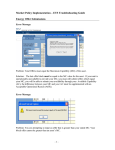
The following screen is displayed if the user chooses the Logout option from the drop down box on the
Home page. The ‘Continue’ button must be used. The user will then be redirected to the IESO public
web-site.
If the defined period of inactivity is reached, the user will be logged out automatically.
Note:Choosing ‘Cancel’ will still break the SSL session security context created between the browser
and the MOSWEB or other server and require re-presentation of the user’s browser based digital
certificate for re-establishing an SSL encrypted session. Depending on mode of presentation of the
browser client side certificate as detailed in sections 4.1.1 and 4.1.2, this will happen transparently or
not.
Figure 4-45: MPI Log-out Screen
- End of Section -
68
Public
Issue 11.1 – March 05, 2008