1
9.4 Applet Question Type • 113
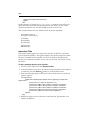
After creating the applet, place it in the "applets" folder (or an appropriate
subfolder if packages are used) on the Maple T.A. server.
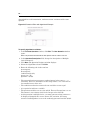
Step 2: Create and Deploy a Java Class for Grading
This is a server-side grader module that accepts the student response as
prepared by the applet and compares it against the correct answer that you
will set in Step 3.
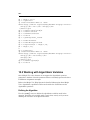
Your grader class should implement three methods:
1. An init(String paramName, String paramValue) method with void return
type. This method receives a set of name/value pairs which it can use for
initialization. These are passed from the grader.param fields in the
question (see Step 3).
2. A grade(String correctAnswerText, String studentResponseText) method
with a double return type value between 0.0 and 1.0, where 1.0 is full
credit. The method should compare the text of the student response with
text representing the correct answer.
Note: The student response text is delivered from the applet's getResponse()
method. In many cases, grading will be performed by judging whether the
response is "the same" as the correct answer text. However in some cases the
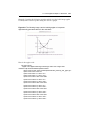
correct answer text may only provide general guidelines for grading. For example,
the correct answer might be "up and to the left" and the student response might be
a point "(76,145)" that the student clicked on.
3. A generateResponseMatchingAnswer(String correctAnswerText) method
with String return type. This method is called to get a sample correct
answer to display as student feedback. The method must use the answer
text provided to generate a string which the applet will display as the
correct answer when passed the string as a response parameter.
Note: In many cases, it will be enough to simply return the answer text in
unmodified form. However when the answer text only provides qualitative grading
criteria ("up and to the left") it's more difficult to generate a sample response. In
that case it may be a good strategy to provide an "example" answer as a grader
parameter in the testbank. E.g. set the answer text to be "up and to the left" and
set grader.param.example=(140,27).
After your grader class is created, create a JAR file and place it in the /WEBINF/lib folder so that it is accessible to the class loader. Then restart the
Maple T.A. server.
Step 3: Author the Maple T.A Question
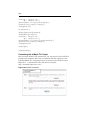
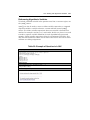
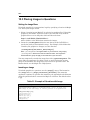
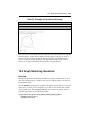
The last step is to host your Java applet in a Maple T.A question, using our
Applet question type.