1
Appendix: OS Installation by Command
Line
Note: We recommend you use supervivi main menu to update software but we still list command
line commands here for your reference.
1. How to enter command line mode
Supervivi will enter main menu when board is set to Nor Flash boot mode. Select function [q] to
enter command line mode
1.1 From BIOS main menu
1.2 From Nand Flash boot
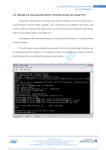
User can also enter supervivi command line interface when board is booting from Nand Flash.
Connect the board with PC by serial cable and USB cable. Open Windows hypterminal and DNW.
Hold on space bar in Hypterminal. Power on MINI2440 and then you can enter command line
interface: