1
OpenGL FAQ and Troubleshooting Guide
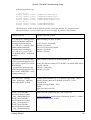
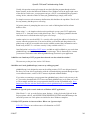
The left and right parameters are simply functions of the top, bottom, and aspect:
left = aspect * bottom
right = aspect * top
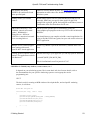
The OpenGL Reference Manual (where do I get this?) shows the matrices produced by both functions.
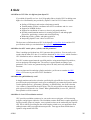
9.090 How do I draw a full−screen quad?
This question usually means, "How do I draw a quad that fills the entire OpenGL viewport?"
There are many ways to do this.
The most straightforward method is to set the desired color, set both the Projection and
ModelView matrices to the identity, and call glRectf() or draw an equivalent GL_QUADS
primitive. Your rectangle or quad's Z value should be in the range of –1.0 to 1.0, with –1.0
mapping to the zNear clipping plane, and 1.0 to the zFar clipping plane.
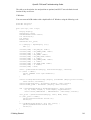
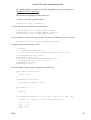
As an example, here's how to draw a full−screen quad at the zNear clipping plane:
glMatrixMode (GL_MODELVIEW);
glPushMatrix ();
glLoadIdentity ();
glMatrixMode (GL_PROJECTION);
glPushMatrix ();
glLoadIdentity ();
glBegin (GL_QUADS);
glVertex3i (−1, −1, −1);
glVertex3i (1, −1, −1);
glVertex3i (1, 1, −1);
glVertex3i (−1, 1, −1);
glEnd ();
glPopMatrix ();
glMatrixMode (GL_MODELVIEW);
glPopMatrix ();
Your application might want the quad to have a maximum Z value, in which case 1 should be used for the Z
value instead of −1.
When painting a full−screen quad, it might be useful to mask off some buffers so that only specified buffers
are touched. For example, you might mask off the color buffer and set the depth function to GL_ALWAYS,
so only the depth buffer is painted. Also, you can set masks to allow the stencil buffer to be set or any
combination of buffers.
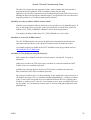
9.100 How can I find the screen coordinates for a given object−space coordinate?
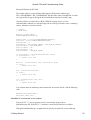
You can use the GLU library gluProject() utility routine if you only need to find it for a few
vertices. For a large number of coordinates, it can be more efficient to use the Feedback
mechanism.
To use gluProject(), you'll need to provide the ModelView matrix, projection matrix,
viewport, and input object space coordinates. Screen space coordinates are returned for X, Y,
and Z, with Z being normalized (0 <= Z <= 1).
9 Transformations
57