1
3-Button Mouse
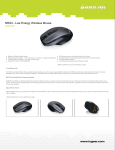
The mouse is featured with three buttons and one scroll wheel
as shown in the picture below.
1. Left Click Button
2. Right Click Button
3. Scroll Wheel
4. DPI Switch Button/Low Battery Indicator
12 Months Battery Life
The mouse consumes very little power and offers a long battery life of
up to 12 months without changing the battery. However please note that
the actual battery life may vary based on user and computing
conditions.
Install the Batteries
The RF 2.4GHZ optical mouse uses one AA battery (Battery not
included).
1. Open the battery cover.
2. Insert the batteries into the compartment, ensuring they correspond
with the polarity marking.
3. Replace the battery cover.
Note: Make sure that the polarity of the batteries is correct. The positive
(+) and negative (-) ends of each battery must match the positive (+)
and negative (-) markings in the battery housing.
Connecting the Receiver
Take out USB Nano receiver and plug it into a free USB port in your
computer.
The Plug & Play function of your system will detect that a new device
has been connected and will install it automatically.