1
Quick Installation Guide
DKT-810
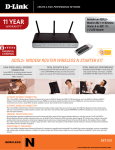
ALL-IN-ONE ADSL2+ STARTER KIT
Package Contents
If any of the items are missing, please contact your reseller.
DKT-810
ALL-IN-ONE
ADSL2+ STARTER
KIT
CD-ROM
Ethernet (CAT5 UTP) Power Adapter
(D-Link Click’n Connect. Cable
Manual and Warranty)
Note :
Using a power supply with a
different voltage rating will damage
and void the warranty of this
product.
Default IP: 192.168.1.1
Default Username: admin
Default Password: admin
Quick Installation
1
Remove the D-Link Click and
Connect CD.
RJ-11 cable
2
A. Be sure your Internet connection is
active. DO NOT plug the router in yet.
B. Insert the D-Link Click’n Connect CD
into your computer.
Troubleshooting
C. Click
1. How do I configure my DSL-2740B router without the CD, or check my Wireless Network
Name (SSID) and Wireless Encryption Key?
•Connect your PC to the router using an Ethernet cable.
•Open a web browser and enter the address http://192.168.1.1