1
ENGLISH
USER GUIDE
SF605
®
Bluetooth Hands-Free
INDEX
1. INTRODUCTION
Thank you for choosing a
Bluetooth® product from SouthWing. This user guide provides all
the information you will need to
use and care for your product. All
relevant information regarding your
SouthWing product can be found
on the support section of our website: www.southwing.com
Check the package
1. Introduction ................................................................................... 3
2. Charging your Hands-Free SF605 ................................................. 4
3. Bluetooth pairing ............................................................................ 4
4. Using your Hands-Free SF605 ....................................................... 4
5. Troubleshooting ......................................................................... ... 6
Package of the product is composed of product main body, bracket,
vehicle power charger, user guide.
Please check before using. Be sure
to use the provided vehicle power
charger exclusively for the Handsfree SF605. In case any problem
occurs by use of other adapters,
we assume no responsibility or liability.
6. Safety and general information ............................................... ..... 6
Check for phone compatibility
Please check your phone compatibility before using the SF605. You
can check whether your phone has
2
Bluetooth capability by visiting
your cell phone manufacturer's
web site.
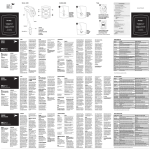
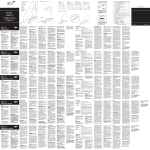
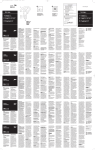
1. Power LED
2. Status indicators: LED1
(connection status), LED2 (call status),
LED3 (low battery status)
3. Multi-function button
4. Volume control
5. Mute button
6. Power socket
7. Speaker
8. Microphone
Status indicators
Power LED: Power on mode
LED1 – Connection status
Pairing mode: fast flashing
Paired not connected: flashes
twice every 2 seconds
Active mode (connected): on
LED2 – Call status
Call set-up – short flashes
Call active – on
LED3 – Low battery status: continuous flashing.
3