1
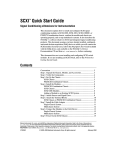
Getting Started Developing an Application.............................................23
Using Examples................................................................................23
Information about Measurement Applications and Devices ............24
Using NI-DAQmx and Traditional NI-DAQ (Legacy) on the
Same Computer .............................................................................26
Troubleshooting.......................................................................................27
Worldwide Technical Support.................................................................27
Support in NI-DAQ 7.4 ...........................................................................28
Operating System Support................................................................28
Application Software Support ..........................................................29
Programming Language and Compiler Support...............................29
Device Support .................................................................................30
Conventions
The following conventions are used in this guide.
<>
Angle brackets indicate function keys.
»
The » symbol leads you through nested menu items and dialog box options
to a final action. The sequence File»Page Setup»Options directs you to
pull down the File menu, select the Page Setup item, and select Options.
This icon denotes a note, which alerts you to important information.
This icon denotes a caution, which advises you of precautions to take to
avoid injury, data loss, or a system crash. When this symbol is marked on
the device, refer to the Read Me First: Safety and Radio-Frequency
Interference document, shipped with the device, for precautions to take.
When this symbol is marked on a product, it denotes a warning advising
you to take precautions to avoid electrical shock.
When this symbol is marked on a product, it denotes a component that may
be hot. Touching this component may result in bodily injury.
bold
Bold text denotes items that you must select or click in the software, such
as menu items and dialog box options.
italic
Italic text denotes a cross reference, an introduction to a key concept, or a
placeholder for a word or value that you must supply.
monospace
Text in this font denotes text or characters you should enter from the
keyboard, error codes, the proper names of disk drives, paths, directories,
programs, functions, filenames, and extensions.
monospace italic
Italic text in this font denotes text that is a placeholder for a word or value
that you must supply.
DAQ Quick Start Guide
2
ni.com