1
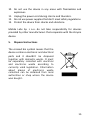
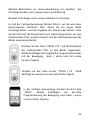
Push „PROG/P2” button on the back side of the remote.
The roller shutter motor will acknowledge going into
program mode with short up/down sequence and
sound.
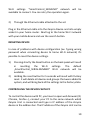
Push the „PROG/P2” button again, the roller shutter
motor will acknowledge operation with sound.
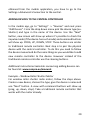
Then in the mobile app use the “PROG” button, the
roller shutter motor will confirm receiving the
command with up/down sequence and sound. You
can test the new device with up/down/stop buttons
in the mobile app.
TIME EVENTS
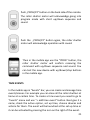
In the mobile app in “Events” bar, you can create and manage time
events/scenes. For example you can close all the roller shutters at
home at a certain time. To create a time event you need to go to
“Events” menu and use “+ add time event” button. Next give it a
name, check the active option, set up time, choose devices and
actions for them. The event will be launched at the set up time or
it can be activated by pressing the icon on the right of the event.
21