1
UntitledBook1.book Page 4 Tuesday, June 9, 2009 5:00 PM
Protalker 1016
4
6
Using a PMR 446 Mhz radio
8.2
Removing the battery pack
To communicate between PMR devices they need to be set all on the same channel +
sub-channel code and within receiving range (up to max. 10 km in ideal conditions).
Since the PT-1016 operates on licence free 446 MHz frequencies, all other licence free 446 MHz
PMR radio's will operate on the same radio frequencies. Therefore, privacy is not guaranteed.
Anybody with a PMR set to your radio frequency can overhear the conversation.
If you want to communicate (transmitting a voice signal) you need to press the PTT-button .
Once this button pressed, the device will go into transmit mode and you can speak into the
microphone. All other PMR devices in range , on the same channel and in standby mode (not
transmitting) will hear your message. You need to wait until the other party stops transmitting
before you can reply to the message. To reply, just press the PTT-button and speak into the
microphone..
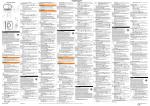
Lift the safety catch on the PMR body. Then press the
release latch underneath the safety catch.
While pressing the release latch, pull the battery pack away
from the PMR body.
If 2 or more users press the PTT- button at the same time the receiver will
receive only the stongest signal and the other signal(s) will be supressed.
Therefore you should only transmit a signal (press PTT- button) when the
channel is free.
The range of radio waves is strongly affected by obstacles such as
buildings, concrete/metal structures, the unevenness of the landscape,
woodland, plants, … This implies that the range between two or more PMR's
may in some extreme cases be restricted to a maximum of a few tens of
meters. You will soon notice that PMR works best when there is a minimum
of obstacles between users.
7
8.1
Installing the belt clip
If necessary, attach the belt clip using the two supplied
screws.
Included in the package
•
•
•
•
•
•
8
8.3
1 x Protalker PT-1016
1 x Beltclip
1 x Desktop Charger
1 x Power adapter
1 x Li-ion battery
1 x User guide
8.4
Getting started
Installing the battery pack
Installing the hand strap
Slide the small loop of the hand strap through the eyelet on
the upper rear of the PMR body.
Align the battery pack with the back of the PMR body. Press
the battery pack and PMR body firmly together until the
release latch locks up the battery.
Pull the entire hand strap through the small loop to secure
the hand strap in place.