1
English
GETTING STARTED
About the Model XXL
The Model XXL has the following built-in functions:
• FM radio
• DAB/DAB+ radio ( works only in countries with DAB service )
• Bluetooth
• AirPlay
®
• DLNA
You can connect your TV, DVD and Game console using the
following connectors:
• 2 HDMI inputs, 1 HDMI output
• Support for HDMI ARC
• 2 analog audio inputs ( RCA connectors )
• 2 digital audio inputs ( coaxial, optical )
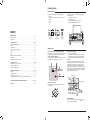
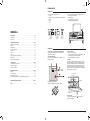
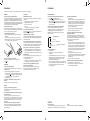
Contents
Getting Started........................................................................................................................ 3
About the Model XXL....................................................................................................................... 3
Getting started................................................................................................................................. 3
Using the Model XXL........................................................................................................... 4 – 7
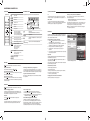
Remote and display controls............................................................................................................ 4
FM radio........................................................................................................................................... 4
DAB / DAB+ radio.............................................................................................................................. 4
TV, DVD & Game consoles............................................................................................................... 5
Bluetooth.......................................................................................................................................... 5
AirPlay.............................................................................................................................................. 6
getting started
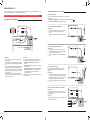
Connect the external radio antenna ( for FM and DAB/DAB+ )
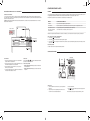
TV, DVD and game console
Automatic software updates............................................................................................................ 6
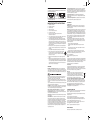
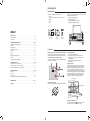
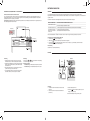
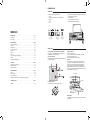
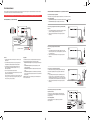
The Model XXL has an enclosed wire antenna. On the back panel,
screw the wire antenna into the antenna connector (1 ).
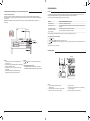
• Place the TV on top of the Model XXL.
Back panel........................................................................................................................................ 7
Connect power to Model XXL
• T
he right side compartment has space for the DVD player, game
console, Blu-ray player, set-top box and other video devices.
On the back panel, connect the power cable to the AC power
connector ( 2 ) and then to a wall outlet.
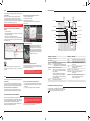
IR extender
DLNA................................................................................................................................................ 6
Analog and digital audio inputs........................................................................................................ 7
TV SETUP.................................................................................................................................. 8 – 10
• Connect all power cords to an AC power strip.
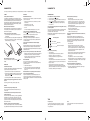
If you place a DVD player, game console or set top box into the right
side compartment of the Model XXL, use the two IR extenders that are
located inside the compartment. The IR extenders amplify the signal
of the infrared ( IR ) remote control so that the components behind the
closed front grid can still be controlled. Make sure the IR extenders
are placed in front of the components’ IR receiver windows. Use the
attached adhesive tape on the bottom side of the IR extender.
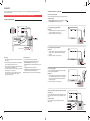
TV setup ( TV with HDMI ARC ).......................................................................................................... 8
Alternative TV setup 1...................................................................................................................... 9
Alternative TV setup 2.................................................................................................................... 10
NETWORK SETUP.................................................................................................................. 11 – 13
Overview......................................................................................................................................... 11
Ethernet setup................................................................................................................................ 11
Wi-Fi setup with WPS.................................................................................................................... 12
Wi-Fi setup with Model XXL as a temporary Wi-Fi access point................................................... 13
TROUBLESHOOTING AND FAQ............................................................................................ 14 – 15
SUPPORT...................................................................................................................................... 15
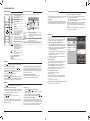
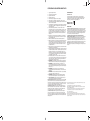
Prepare the remote control
Remove the battery protector from the remote control battery
compartment.
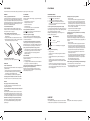
Turn the Model XXL on
Press the power button on the remote control
button above the display.
, or press the power
3