1
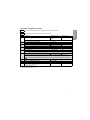
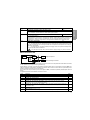
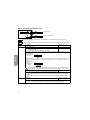
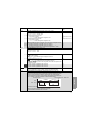
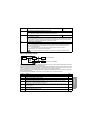
Code
COd
Parameter
Unit
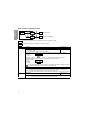
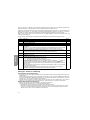
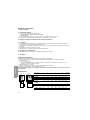
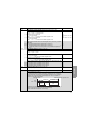
Terminal locking code (version V1.2 IE u 21)
Enables the drive configuration to be protected using an access code.
• OFF: No access locking codes.
• On: A code is locking access (2 to 999)
- To unlock access enter the security code (incrementing the display using
) and press "ENT".
The code remains on the display and access is unlocked until the next power-down. Parameter
access will be locked again on the next power-up.
If an incorrect code is entered, the display changes to "On", and parameter access remains locked.
• XXX: Parameter access is unlocked (the code remains on the screen).
To create an access code, consult the technical manual.
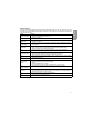
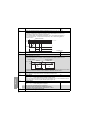
Faults - Causes - Remedies
ENGLISH
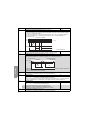
Drive does not start, no fault displayed
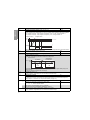
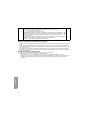
• Check that the run command input(s) have been actuated in accordance with the chosen control mode.
• When the drive is switched on, at a manual fault reset, or after a stop command, the motor can only be powered once
the "forward" and "reverse" commands have been reset. If they have not been reset, the drive will display "rdY" or
“nSt” but will not start.
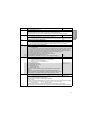
• If an input is assigned to the freewheel stop function, when this input is active at state 0 (not connected: open contact),
it should be connected to the + 15 V if nPL = POS or to the 0V if nPL = nEG to allow the drive to start (see nPL page
30).
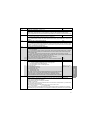
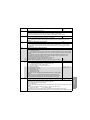
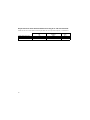
Drive does not start, display off
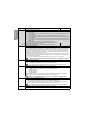
• Check that line voltage is present at the drive terminals.
• Unplug all the connections on the drive U, V, W terminals:
- Check there is no short-circuit between a phase and ground in the motor wiring or in the motor.
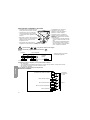
- Check that a braking resistor has not been connected directly to the PA/+ and PC/- terminals. Caution, if this is the
case, it will certainly have damaged the drive. A braking module must always be used between the drive and the
resistor.
32