1
ATV71-simpl.book Page 28 Jeudi, 20. janvier 2005 10:38 10
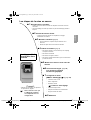
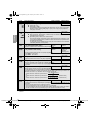
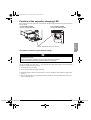
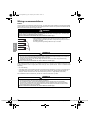
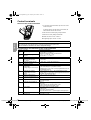
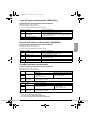
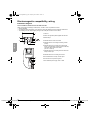
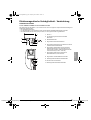
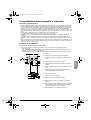
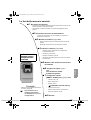
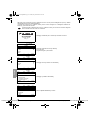
Steps for setting up the drive
b1
Take delivery of the drive
• Check that the catalog number printed on the label is the same as that on the
purchase order
• Remove the Altivar from its packaging and check that it has not been damaged
in transit
b 2 Check the line voltage
• Check that the line voltage is compatible with the voltage range
of the drive
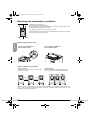
b 3 Mount the drive (page 29)
ENGLISH
• Mount the drive in accordance with the instructions in this
document
• Install any internal and external options
b 4 Wire the drive (page 32)
• Connect the motor, ensuring that its connections correspond
to the voltage
Steps 1 to 4 must
be performed
with the
power off
• Connect the control
• Connect the speed reference
• Connect the line supply, after making sure that it is turned off
b 5 Power up without run command
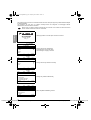
b 6 Select the language (page 41),
if the drive has
a graphic display terminal
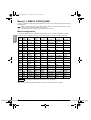
b 7 Configure the menu
[SIMPLY START] (SIM-) (page 43)
• 2-wire or 3-wire control
• Macro configuration
• Motor parameters
Tip:
• Perform an auto-tuning operation to
optimize performance, page 46
Note: Check that
the wiring of the drive
is compatible with its
configuration.
Perform an auto-tuning operation
• Motor thermal current
• Acceleration and deceleration ramps
• Speed variation range
b 8 Start the drive
28 Inc. ● 230 Ryan Way, South San Francisco, CA 94080-6370 ● General Inquiries: (800) 670-4183 ● www.stevenengineering.com
Courtesy of Steven Engineering,