1
HAM200
07
5.
Ins
stallation
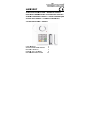
Select the entrance to be co
overed. Use the supplied screws or the double-sided
p
to attach the mounting plate to
o the wall within 10
0cm of the
adhesive pads
doorjamb and slide the unit onto the plate.
Mount the magnetic contact on the edge of the door. Use the sc
crews or the pads to
mount the wired contact on the doorjamb as close
c
to the magne
etic contact as
possible (m
max. 1cm).
6.
Doo
orbell Functio
on
The doorbe
ell function only works
w
when the ala
arm is not armed. Press F and then
. The diing-dong chime will sound twice to confirm
c
that the device is in the
doorbell mode.
m
Wait 15 seco
onds for the unit to
o warm up. The ding-dong sound will
be produce
ed twice every tim
me the door is open
ned. To deactivate
e the doorbell
function: press
p
F and press
been deactivated.
7.
. Two beeps co
onfirm that the doo
orbell function has
s
Pan
nic Alarm
In case of an emergency, yo
ou can trigger an immediate alarm by
b pressing F and
simu
ultaneously. The allarm will sound forr 30 seconds.
8.
Arm
ming/Disarm
ming the Alarm
m
Arming the
e alarm: Press F, followed
f
by the
key. The red LED
L
flashes and th
he
device bee
eps for the duration of the exit delay
y you have set. Clo
ose the
door/windo
ow in the meantim
me. The alarm is arrmed when the de
evice no longer
beeps.
p
3-digit PIIN (Personal
Disarming the alarm: Press F and enter your personal
e and the alarm will be disarmed. No
ote that you can
Identificattion Number) code
only disarm
m the alarm when the device is in th
he alarm mode.
9.
Ope
eration
The red LE
ED starts to flash when
w
the door is opened.
o
The alarm will sound for 30
(or 60) sec
conds after the de
elay time and resett itself automatically after 3 seconds
s
unless you
u press F and enter your PIN code first. If the door or window remains
open, the alarm will be activ
vated for 30 (or 60
0) seconds, it will reset
r
itself after 3
seconds an
nd go off again. Th
his will continue un
ntil the door or win
ndow is closed.
When you are entering yourr PIN code, you sho
ould check whethe
er the red LED
comes on to confirm every one
o
of the three digits you enter. No
ote that you can
only use th
he alarm if the dev
vice is in the alarm
m mode.
10. Intruder Alert
The red LE
ED flashes when th
he alarm is armed.. This implies you have to enter your
personal code before the end of the entry dela
ay. Imagine yourse
elf coming home
and entering your personal code:
c
if the LED fla
ashes but there is no sound as you
are enterin
ng the code, then you can be sure th
hat a burglar was there earlier.
08.12.2009
3
©Velleman nv