1
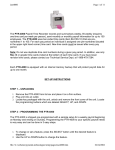
The PTR-4000 Payroll Time Recorder records and summarizes weekly, BIweekly (requires one time card per week per person), semi-monthly or
monthly payroll information for up to 100 employees. The PTR-4000 uses
bar-coded time cards (item #44100-10) that are pre-numbered 1 to 100. For
each pay period an individual is assigned one pre-numbered (located in the
upper right hand corner) time card. New time cards must be issued after
every pay period.
Note: Do not use duplicate time card numbers during a given pay period. In
addition, use only Rev. D or greater time cards (noted at the bottom of each
time card). Store your time cards in a dry area. Do not bend or soil the time
cards. A dirty or bent time card on the left edge of the card may cause card
read /ID errors. If you have lower revision level cards, please contact our
Technical Service Dept. at 1-888-479-7264.
Each PTR-4000 is equipped with an internal memory backup that will
protect payroll data for up to one month.
SET-UP INSTRUCTIONS
STEP 1 – UNPACKING
1. Remove the PTR-4000 from its box and place it on a firm surface.
2. Plug unit into an outlet.
3. Locate key packaged with the unit, unlock and remove the front cover of
the unit. Locate the programming buttons, which are labeled, SELECT,
UP, and DOWN.
STEP 2 – PROGRAMMING THE PTR-4000
Programming the PTR-4000 to your specific payroll needs is very easy and
can be done in 3 easy steps.
1. To change or set a feature, press the SELECT button until the desired
feature is displayed.
2. Use the UP or DOWN button to change the feature.
3. After the displayed feature is changed, press the SELECT button to
change other feature and to return to the main display.
Note: Selecting YES for the SET-UP PAY feature will clear all recorded
payroll data. If YES is selected, new time cards must be issued.
STEP 3 – READY TO GO
Reinstall front cover and lock unit and you are ready to use your PTR-4000.
1