1
INTRODUCTION
Thank you for choosing a Bluetooth®
product from SouthWing.
This user guide provides all the information you will need to use and care
for your product.
All relevant information regarding your
SouthWing product can be found on
the support section of our website:
www.south-wing.com
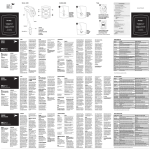
1. CHARGING THE HEADSET
You will need to charge the battery of
your Headset. To do so, follow these
steps:
1. Plug the power supply into a power
point.
2. Plug the connector of the power
supply into the USB Charging Socket
[1]. The Indicator Light [2] will turn red
to indicate the Headset battery is
charging.
3. Once the Indicator Light [2] turns
off, the Headset is fully charged and
can be removed from the power
supply.
USB Charging
Thanks to its USB charging facility, the
Headset battery can be charged from
any USB port, such as those found on
a PC or laptop, by using the USB cable
adaptor accessory from SouthWing.
Please Note:
· The Headset will not function while
charging.
· If the Indicator Light [2] remains off when
charging, the battery is already fully charged
aand does not require further charging.
· To maximise battery life, do not charge the
Headset for extended periods of time.
· Full battery capacity will be achieved after
two or three full charge/discharge cycles.
· When your battery is flat, it takes up to four
hours to completely charge your headset.
· For charging, only use power supply or
aaccessories approved by SouthWing.
2. PAIRING THE HEADSET
Auto-pairing
For added convenience, your headset
has an auto-pairing function so that
when you turn the headset on for the
first time, it is already in pairing mode
(you will also hear a series of high
tones). Then, follow these steps:
1. Put the mobile phone into pairing
mode (see the instructions which
came with your phone). Ensure that
the mobile phone is no more than 1
metre away from the headset
2. Enter the PIN number: 1111.
If pairing is successful, the Indicator
Light [2] will begin flashing every 3 seconds.
Normal pairing
You will need to follow the steps below
if you want to pair your Headset with
another mobile phone.
1. Ensure the Headset is off
2. Press and hold the On/Off Button
[3] for about 5 seconds until the
Indicator Light [2] flashes red and
green alternatively (you will also hear a
series of high tones)
Then complete normal pairing process
by following point 1 and 2 of the autopairing section above.
Pairing with more than one device
You will be able to pair your Headset
with up to 3 devices but only one device can be active at a time. If the
® Bluetooth is a registered trademark owned by Bluetooth SIG, Inc. U.S.A. and licensed to SouthWing.
3