1
1. Preparation
Before you begin please
confirm that you have a working
Internet connection and make
sure you have the account
information available that was
provided by your ISP.
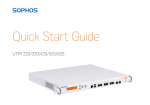
Congratulations on your purchase of the Sophos SG appliance to protect your data
networks and computers. This Quick Start Guide describes in short steps how
to assemble the appliance and explains how to open the web-based WebAdmin
configuration tool on the security system from your administration client PC. WebAdmin
allows you to configure every aspect of the security system.
Scope of Supply
Quick Start Guide
SG 105/115/125/135
Security Notes and
Regulatory Compliance
Sophos Access Points
SG 105/115/125/135
This Quick
Start Guide and
Security Notes
Power Supply
RJ45 to DB9 adapter cable
RJ45 Ethernet cable,
1 power cable
License
The security appliances are delivered with a 30-day trial version. During or after the
trial period, you can activate the full license you purchased from your Sophos partner by
creating an account at https://myutm.sophos.com, activating the provided activation and
upgrade keys, and uploading the created license file into your appliance.
Support & Documentation
For more information and technical support please visit www.sophos.com/en-us/support
or contact your local reseller.
SG 105/115/125/135 Quick Start Guide