1
Dan-O-Matic
TM
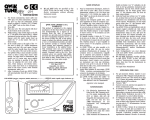
LEDs
DT-2 INSTRUCTIONS
IN
TUNE
#
• Connect instrument cable to the IN jack. Battery power is
activated when cable is connected to IN jack. Connect
amplifier cable to the OUT jack or MUTE OUT jack. If
using Danelectro AC Adaptor, connect to DC 9-Volt jack.
• Control Functions:
MUTE OUT JACK:
Sound is muted to this output jack when the foot
switch is activated. Sound output is restored by touching the foot switch.
OUT JACK:
Sound to this output jack is not muted by the foot
switch. (Choose OUT or MUTE OUT jack for output,
depending on whether you wish sound muted during
tuning).
FOOT SWITCH:
Turns on tuning function, lights the meter, and mutes
the sound output to the MUTE OUT jack. The regular
OUT jack sound is not muted by the foot switch.
2
LCD METER
NEEDLE
TUNING:
1 Play any note. The note played will show at the top of the
LCD meter.
2 While tuning, if the needle stops to the left of “0” the pitch of
the note is f lat ( ). Adjust instrument tuning and play the
note again. Repeat until the meter needle lines up under the
“0” on the meter. The note is then in tune.
3