1
UK - User’s Manual
General Description:
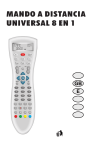
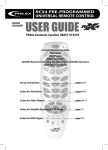
The 8all is a new model of preprogrammed universal remote control
for European market which has a extensive code library, powerful
function and stable quality .It features as:
A. Totally 8 device keys: TV, VCR, CBL/SAT [Analogue Satellite,
digital Satellite ,Cable], CD, DVD, TAPE, TUNER, AUX [LD, Audio
Amplifiers, Audio Amplifiers /Tuners, Audio Cassette Players,
Digital Audio Tape Player for AUX.]
B.
4 Operation Modes:
Set-up Mode, Manual Search Mode, Auto Search and Display
Mode.
C. LED flash to indicate when transmission.
D.
Set-up indicating LED
E.
Teltxt/Fastext function
F.
Punch-through function
G.
Volume and Mute Lock function
H. Device Lock function
I. Menu function
J.
Total 1224 codes
Code Set Up
A. Set Up by brand code:
According to the attached Device Brand Code List, find out the
code of the device brand and device code that you want to control.
For example, you can find codes for SONY TV: 010, 011, 028, and
030… Then follow the steps as below:
a. Press and hold the [SET] key. Then press the device key that you
want to control, such as [TV], [VCR], [CBL/SAT] etc.
b. The LED will be on at moment. Then release the pressed both keys.
c. Enter in the 3-digit Device Code (for example: code 010 under
SONY TV).
d. If the entered Device Code is correct, the LED will be off
automatically, then gone to step e. If it is incorrect, the LED will blink
twice and keep being at set up mode, then return to step c.
e. Try if keys on remote control work or not.
2