1
VOL+
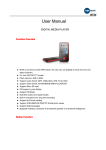
Power on/off/Enter
VOL-
1:[Power on/off/Enter]:
Power on:
Hold the POWER button down until the animated picture starts up on the screen.
Power off:
Hold the POWER down until the device is switched off.
Enter: press this button enter into submenu or Touch the icon on the screen to submenu
2:[VOL+] button: Increase volume
3:[VOL-] button: Decrease volume
Recharging the player
The player can be recharged by plugging USB cable into your PC. An icon will show up on the
right while charging.
First turn on your PC, then plug the player into the PC using a USB cable.
Main menu
When the player is turned on, there are 9 sub menus in the main menu. Use your fingertip to
select the icon on the screen to confirm your choice.