1
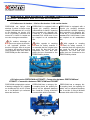
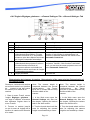
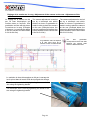
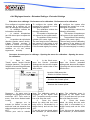
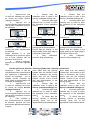
Le terminal de commande établit
alors la liaison avec la caméra. Ce
processus peut durer quelques
secondes ! Une fois la liaison
établie, le menu Travail s’ouvre
automatiquement.
Ce
menu
permet de contrôler la commande
par caméra ; voir le chapitre
«Menu Travail».
Remarque importante ! Le
terminal de commande ne doit en
aucun cas être mis hors tension
pendant le travail, faute de quoi
toutes les fonctions de contrôle
seront arrêtées.
The
control
terminal
then
establishes the link with the
camera. This may take several
seconds! Once the connection
is made, the Work menu opens
automatically.This menu makes it
possible to manage the control by
the camera; see the “Work Menu”
chapter.
Important
note!
In
no
circumstances must the control
terminal be switched off during
work, otherwise all the control
functions will stop.
Paramétrage de l’équipement et utilisation des différentes applications ISOBUS
au moyen du terminal - Configuring the equipment and using the various ISOBUS
applications by means of the terminal - Configuring the equipment and using the
various ISOBUS applications by means of the terminal
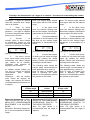
Le paramétrage de l’équipement
(langue, luminosité, contraste,
etc.) et l’utilisation des différentes
applications ISOBUS via le
terminal ‘effectuent au moyen des
menus appropriés. Le chapitre
suivant
explique
comment
accéder aux différents menus.
Une présentation des différents
menus est proposée dans les
chapitres «Menu Travail «, et
«Menu Service».
Configuring
the
equipment
(language, brightness, contrast,
etc.) and using the various
ISOBUS applications via the
terminal takes place using the
appropriate menus. The following
chapter explains how to access
the various menus.
A presentation of the different
menus is offered in the chapters,
“Work Menu” and “Service Menu”.
Passage d’un menu à l’autre et d’une application ISOBUS à l’autre - Moving from one
menu to another and one ISOBUS application to another - Moving from one menu to
another and one ISOBUS application to another
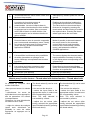
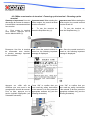
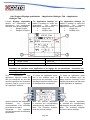
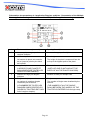
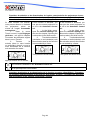
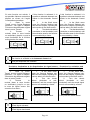
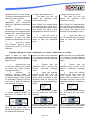
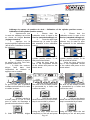
Pour alterner entre le menu
Travail et le menu Service, et
entre les différentes applications
ISOBUS, procédez comme suit :
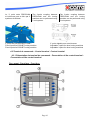
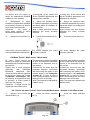
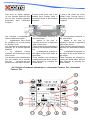
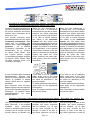
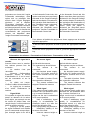
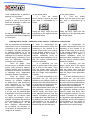
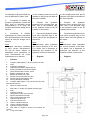
1. Appuyer sur la touche de
sélection Menu (3).
To alternate between the Work
menu and the Service menu and
between the different ISOBUS
applications, proceed as follows:
1. Press the Menu selection
key (3).
Page 19
To alternate between the Work
menu and the Service menu and
between the different ISOBUS
applications, proceed as follows:
1. Press the Menu selection
key (3).