1
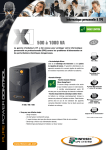
User guide To ensure this product is correctly installed and used appropriately, we highly advise you to read this user guide very carefully. 1. INTRODUCTION This UPS range is specially designed for multimedia Home Computers and computer systems in small-sized companies. Its lightweight and compact design is ideal for working environments where space is limited. The X1 IEC range is Auto-Regulated to provide balanced output power and offer complete protection for your connected equipment in the event of power cuts or fluctuations. X1 IEC will keep your connected equipment powered up for several minutes. This will allow you to close your program(s) and shut the system down correctly. The main features of the X1 IEC range are given below. 2. MAIN CHARACTERISTICS A highly-reliable microprocessor control Automatic output voltage regulator (AVR) Cold start feature if no power supply Off-mode charging Automatic restart during AC power recovery Compact size, light weight USB communication port (optional for models 700 & 1000 VA and as standard on models 1250, 1600 & 2000 VA) 3. SAFETY INSTRUCTIONS – Security Risk of electric shock: The UPS unit uses potentially hazardous voltages. Do not attempt to disassemble this equipment as it does not contain accessible components that can be repaired by users. All repairs should be performed by qualified technicians only. The utility power outlet shall be near the equipment and easily accessible. To isolate the UPS from AC input, remove the plug from the utility power outlet. The mains outlet that supplies the UPS shall be located near the UPS and shall be easily accessible. The UPS has its own internal power supply (battery). There is a risk that output sockets may still be live after the UPS has been disconnected from the mains power supply. Install the UPS in a temperature and humidity-controlled indoor area free of conductive interference. It should not be exposed to direct sunlight or sources of heat. Do not cover the ventilation slots. Disconnect the UPS from AC power before cleaning with a damp cloth (no cleaning products). In an emergency situation, switch the UPS to the “Off” position and disconnect the unit from the AC power supply. When the UPS is out of order, please refer to “section 10: trouble shooting” and call the hot line. 2 INFOSEC UPS SYSTEM - 4, rue de la Rigotière - 44700 Orvault - FRANCE - www.infosec-ups.com Hot Line – Tel + 33 (0)2 40 76 15 82 - Fax + 33 (0)2 40 94 29 51 - hotline@infosec.fr – 11 12 AA 59 205 02