1
RQTC0147-12.fm Page 3 Monday, July 23, 2007 6:13 PM
Table of contents
Accessories
(Only for U.S.A) To order accessories, refer to
“Accessory Purchases” on page 22.
Getting started
Enjoying higher quality audio and video (HDMI connection) . . . . . . . . 5
Enjoying multi-channel surround sound . . . . . . . . . . . . . . . . . . . . . . . 6
STEP 2 The remote control . . . . . . . . . . . . . . . . . . . . . . . . . . . 6
STEP 3 QUICK SETUP. . . . . . . . . . . . . . . . . . . . . . . . . . . . . . . 6
STEP 4 TV operation . . . . . . . . . . . . . . . . . . . . . . . . . . . . . . . . 6
(Only for Canada) To order accessories, call the
dealer from whom you have made your purchase.
Use numbers when asking for replacement parts. (Product numbers
correct as of July 2007. These may be subject to change.)
∏ 1
∏ 1
Operations
Basic play . . . . . . . . . . . . . . . . . . . . . . . . . . . . . . . . . . . . . . . . . 7
Convenient functions . . . . . . . . . . . . . . . . . . . . . . . . . . . . . . . 8
Displaying current playback condition . . . . . . . . . . . . . . . . . . . . . . . . . 8
Changing play speed. . . . . . . . . . . . . . . . . . . . . . . . . . . . . . . . . . . . . . 8
Changing soundtracks . . . . . . . . . . . . . . . . . . . . . . . . . . . . . . . . . . . . . 8
Changing subtitles . . . . . . . . . . . . . . . . . . . . . . . . . . . . . . . . . . . . . . . 8
Changing the zoom ratio . . . . . . . . . . . . . . . . . . . . . . . . . . . . . . . . . . .8
Reducing noise in pictures . . . . . . . . . . . . . . . . . . . . . . . . . . . . . . . . .8
Angle select/Still picture rotation/advance . . . . . . . . . . . . . . . . . . . . . .8
Skipping about one minute forward . . . . . . . . . . . . . . . . . . . . . . . . . . .8
All group/Program/Random play . . . . . . . . . . . . . . . . . . . . . . . . . . . . . 9
Starting play from a selected group . . . . . . . . . . . . . . . . . . . . . . . . . . .9
Quick replay. . . . . . . . . . . . . . . . . . . . . . . . . . . . . . . . . . . . . . . . . . . . . 9
Enjoying higher quality audio and video. . . . . . . . . . . . . . . . 9
Reproducing more natural audio . . . . . . . . . . . . . . . . . . . . . . . . . . . . . 9
Enjoying even higher quality sound . . . . . . . . . . . . . . . . . . . . . . . . . . .9
Adjusting picture mode . . . . . . . . . . . . . . . . . . . . . . . . . . . . . . . . . . . .9
Playing audio (WMA/MP3), picture (JPEG) and video
(MPEG4/DivX) discs . . . . . . . . . . . . . . . . . . . . . . . . . . . . . 10
Playing items in order . . . . . . . . . . . . . . . . . . . . . . . . . . . . . . . . . . . .10
Playing from the selected item . . . . . . . . . . . . . . . . . . . . . . . . . . . . .10
About DivX VOD content. . . . . . . . . . . . . . . . . . . . . . . . . . . . 11
Using navigation menus . . . . . . . . . . . . . . . . . . . . . . . . . . . . 11
Playing CD. . . . . . . . . . . . . . . . . . . . . . . . . . . . . . . . . . . . . . . . . . . . .11
Playing HighMATTM discs. . . . . . . . . . . . . . . . . . . . . . . . . . . . . . . . . .11
Playing programs/playlists . . . . . . . . . . . . . . . . . . . . . . . . . . . . . . . . .11
∏ 1
∏ 2
Remote control
(N2QAYB000198)
AC power supply cord
(K2CB2CB00020)
≥For use with this unit only. Do not use it with other equipment.
Also, do not use cords for other equipment with this unit.
Audio/video cable
(K2KA6BA00004)
Remote control batteries
Table of contents/Accessories/IMPORTANT SAFETY INSTRUCTIONS
Accessories . . . . . . . . . . . . . . . . . . . . . . . . . . . . . . . . . . . . . . . 3
IMPORTANT SAFETY INSTRUCTIONS . . . . . . . . . . . . . . . . . 3
Discs that can be played . . . . . . . . . . . . . . . . . . . . . . . . . . . . . 4
Disc handling . . . . . . . . . . . . . . . . . . . . . . . . . . . . . . . . . . . . . . 4
STEP 1 Connection . . . . . . . . . . . . . . . . . . . . . . . . . . . . . . . . . 5
The included Canadian French language sheet corresponds to this
unit’s English displays.
User memo:
DATE OF PURCHASE _________________________________
DEALER NAME ______________________________________
DEALER ADDRESS ___________________________________
____________________________________________________
TELEPHONE NUMBER ________________________________
The model number and serial number of this product can be found
on either the back or the bottom of the unit. Please note them in the
space provided below and keep for future reference.
MODEL NUMBER ____________________________________
DVD-S100
SERIAL NUMBER ____________________________________
Linked operations with the TV. . . . . . . . . . . . . . . . . . . . . . . . . . 12
Using On-Screen Menus . . . . . . . . . . . . . . . . . . . . . . . . . . . . 13
Main menus/Other Settings . . . . . . . . . . . . . . . . . . . . . . . . . . . . . . . .13
Changing the player settings . . . . . . . . . . . . . . . . . . . . . . . . 15
Changing the speaker setting to suit your speakers . . . . . . . . . . . . .17
Reference
Troubleshooting guide . . . . . . . . . . . . . . . . . . . . . . . . . . . . . 18
Tips for making WMA, MP3, JPEG, MPEG4 and DivX discs . . . . 20
Glossary . . . . . . . . . . . . . . . . . . . . . . . . . . . . . . . . . . . . . . . . . 20
Maintenance . . . . . . . . . . . . . . . . . . . . . . . . . . . . . . . . . . . . . . 20
Specifications . . . . . . . . . . . . . . . . . . . . . . . . . . . . . . . . . . . . 21
Limited Warranty (ONLY FOR U.S.A) . . . . . . . . . . . . . . . . . . 22
Limited Warranty (ONLY FOR CANADA) . . . . . . . . . . . . . . . 23
Product Service . . . . . . . . . . . . . . . . . . . . . . . . . . . . . . . . . . . 23
Manufacturer and Code No . . . . . . . . . . . . . . . . . . Back cover
IMPORTANT SAFETY INSTRUCTIONS
1)
2)
3)
4)
5)
6)
7)
Read these instructions.
Keep these instructions.
Heed all warnings.
Follow all instructions.
Do not use this apparatus near water.
Clean only with dry cloth.
Do not block any ventilation openings. Install in accordance with
the manufacturer’s instructions.
8) Do not install near any heat sources such as radiators, heat
registers, stoves, or other apparatus (including amplifiers) that
produce heat.
9) Do not defeat the safety purpose of the polarized or groundingtype plug. A polarized plug has two blades with one wider than
the other. A grounding-type plug has two blades and a third
grounding prong. The wide blade or the third prong are provided
for your safety. If the provided plug does not fit into your outlet,
consult an electrician for replacement of the obsolete outlet.
10) Protect the power cord from being walked on or pinched
particularly at plugs, convenience receptacles, and the point
where they exit from the apparatus.
11) Only use attachments/accessories specified by
the manufacturer.
12) Use only with the cart, stand, tripod, bracket, or
table specified by the manufacturer, or sold with
the apparatus. When a cart is used, use caution
when moving the cart/apparatus combination to
avoid injury from tip-over.
13) Unplug this apparatus during lightning storms or when unused
for long periods of time.
14) Refer all servicing to qualified service personnel. Servicing is
required when the apparatus has been damaged in any way,
such as power-supply cord or plug is damaged, liquid has been
spilled or objects have fallen into the apparatus, the apparatus
has been exposed to rain or moisture, does not operate normally,
or has been dropped.
RQTC0147
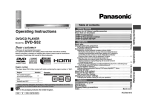
Read these operating instructions carefully before using the unit. Follow the safety instructions on the unit and the applicable safety
instructions listed below. Keep these operating instructions handy for future reference.
3
3