1
English
English
BOX CONTENTS
• Pinger Plus Network IP Tester • AC Adapter • Carrying case
• Four AA Alkaline Batteries • User Guide
BATTERY
The Pinger Plus operates on four AA alkaline batteries. Remove the battery cover at the back of the unit and
insert the batteries with the orientation as shown. Battery
polarity is marked inside the battery well for reference.
TECHNICAL OVERVIEW
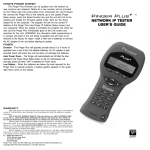
The Pinger Plus Network IP Tester uses the “PING” function to send a data
packet to another IP address on a network or respond to a PING sent to its
own IP address. The PING test is used to verify connectivity, measure round
trip communications time, check data integrity, determine a MAC address and
search a stored list or a range of IP addresses. The Pinger Plus provides a
DHCP Client mode and a Port Identification function with selectable blink rates
to locate which port on a hub or switch that a wall outlet is connected.
NETWORK COMPATIBILITY
The Pinger Plus is designed for testing an Ethernet network that uses the
IP protocol. The unit can communicate directly with a hub, switch, router, NIC
or other network device that uses 10baseT or 100baseT. The Pinger Plus will
identify when it is connected to a 1000baseT device but it cannot transmit/receive
a PING at 1000baseT.
MECHANICAL FEATURES
WEB BROWSER INTERFACE
The Pinger Plus can be configured by connecting it to the network and using
either Internet Explorer (6.0 or later) or Netscape (6.0 or later). To access the
Pinger Plus setup page, enter the Pinger IP address (shown in the Pinger IP
Address setup screen) in the browser URL window. All setup features can be
configured from the browser. The User Guide can also be displayed.
OPERATION
To test a hub, switch, router or NIC connect a patch cable from the RJ-45 port
on the equipment to the RJ-45 jack on the Pinger Plus.
LINK SCREEN
Turn on the Pinger Plus by pressing the “PWR” button. The unit scans the
RJ-45 connection searching for Link signals.
If no Link signals are found, a “No Link” message is displayed and a REPEAT function is
provided to rerun the search for a Link Partner.
When proper Link signals are found, the Pinger Plus displays the connection as
a LAN, NIC or an Auto MDI-X port; the capabilites of the Link Partner; the speed
and duplex the Pinger is using for the connection. When the Link is established,
the PING, DHCP and PortID function keys are
displayed. Disconnecting the Pinger will cause
the unit to immediately restart the search for
Link signals.
Note: If a Link Partner is transmitting NLP or MLT-3 Link signals instead of a Link
Code Word, the duplex mode is unknown (shown as “UN” in the LINK screen)
and the Pinger Plus will always connect at half duplex. PING tests can still be run
even if there is a duplex mode mismatch.
PING SCREEN
Pressing the PING function key in the Link
Screen presents the PING Screen. The Up/
Down cursor key is used to select:
1) e nter and PING a new IP address
(1 to 99 times or continuously as shown next to “Name”)
2) PING one of eight preprogrammed IP addresses (see IP List Setup)
3) PING all of the one to eight preprogrammed IP LIST addresses
4) PING a Range of IP addresses or
5) PING one of eight Profiles(see Profile Setup).
2
3