1
Service Manual
Dell Mobile Computing Station
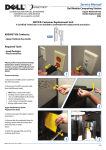
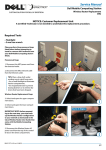
6. Use a 2 mm hex wrench to remove
the screw holding the "P" clip in place
around the power cord in the lower
compartment.
2mm hex
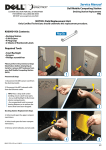
7. Unwrap the power cord and Ethernet
connector in the cord bay. Use a Phillips
Screwdriver to remove the ten screws
holding the faulty Cord Bay in place on
the exterior wall.
8. Taking care not to harm the Ethernet
or Power Cords, dislodge the cord bay
from the MCS. Remove the Strain Relief
Bushing. Work the Power Cord plug
through the separation at the top, left
corner of the faulty Cord Bay,
Screw
Interior
6
7
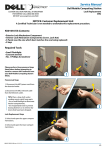
9. Measure and mark 15.75 inches (400
mm) from the face of the female end
of the new Power cord: clamp the new
strain relief bushing around the cord
at the mark making sure that the wide
end of the bushing is near the male
(exterior) end; if desired, crimp bushing
with pliers.
10. Replace the faulty Cord Bay with
the new Cord Bay, pulling the Ethernet
cable through the opening and working the power cord into the separation
at the top, left corner, as described in
Step 8.
8
Male End - Exterior
11. Use a Phillips screwdriver to attach
the new Cord Bay with the ten provided
replacemet screws.
Female End - Interior
Interior
15.75" (400 mm)
12. Use a 2 mm hex wrench to reattach
the "P" clip in place around the power
cord in the lower compartment.
13. Close and lock the lower compartment doors.
14. Close and lock the upper compartment doors.
CORD BAY REPLACEMENT
IS NOW COMPLETE
Exterior
Bushing
9
CUSTOM SOLUTION FOR DELL BY ERGOTRON
FOR SERVICE CALL (800) 888-8458
OR VISIT www.ergotron.com/Dell
888-97-075-W-01 rev. B • 08/09
2/4