1
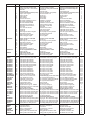
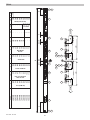
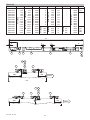
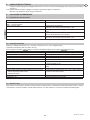
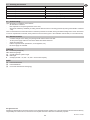
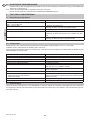
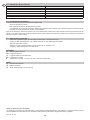
3.4 Checking the trimmers
TC trimmer adjustment
R1 trimmer adjustment
RF trimmer adjustment
VA trimmer adjustment
VC trimmer adjustment
RP trimmer adjustment
ACTION
-
variation
variation
variation
variation
variation
variation
of
of
of
of
of
of
the
the
the
the
the
the
GB
OUTCOME
automatic closure time
force on obstacles
motor power
opening speed
closing speed
partial opening
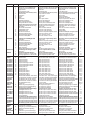
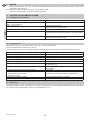
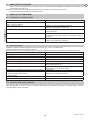
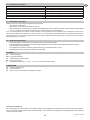
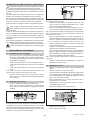
3.5 Default setting
Upon the testing is completed, set as follows:
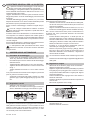
all trimmers to maximum.
DIP1 depends on the opening direction of the door;
disconnect batteries (if installed), checking that the electric board is not being powered by them (press RESET command
1-29).
Note: it is advisable not to enable the trimmers and the dip-switches on the DIR, leaving the default settings active. If the user wishes
to use the adjustments on the DIR, closely adhere to the instructions given in the installation manual BIS (or in the DIR manual).
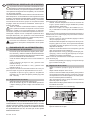
3.6 General controls
-
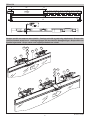
Control the length of the casing, the passage width and the width of the leaf.
Tie the power supply cable and command cables with related channels.
Apply the casing seal.
Perform a general check (belt tension, screw tightness, etc).
Fill-in and apply the CE label.
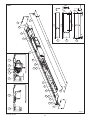
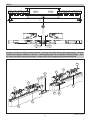
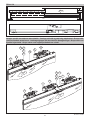
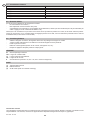
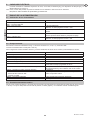
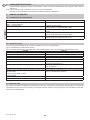
CAPTION
PL
LM
LT
LB
S
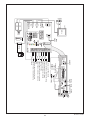
Horizontal passageway
Mobile wing lenght
Overall automatic system lenght
Belt lenght
Overlap (nominal = 50; min = 25; max = as the case requires)
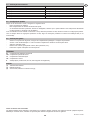
NOTE
(1)
(2)
(3)
External transformer
External batteries
If LM>1600 add the third carriage [4]
All right reserved
All data and specifications have been drawn up and checked with the greatest care. The manufacturer cannot however take any
responsibility for eventual errors, ommisions or incomplete data due to technical or illustrative purposes.
17
KIT TEN - IP1706