1
The detector is less sensitive to motion directly towards
it and more sensitive to across motion.
TEST AND ADJUSTMENT
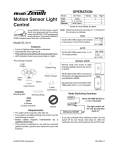
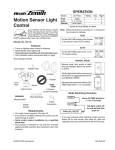
❒ Turn on the circuit breaker and light switch.
NOTE: Sensor has a 1 1/2 minute calibration period
before it will detect motion. When first turned
on, wait 1 1/2 minutes.
Motion
Motion
❒ For aiming, turn the SENSITIVITY (SENS) control to the mid position and the ON-TIME control
to the TEST position.
Sensor
Least Sensitive
ON-TIME
TEST 1 5 10
MIN MAX
❒ Rotate the sensor head left
and right to aim the sensor.
Adjust the sensor lens up and
down to obtain desired coverage range.
SENS
❒ Walk through the coverage
area noting where you are
when the lights turn on. Move
the sensor head up, down, or
sideways to change the coverage area.
Bottom of sensor
In the test position shown above, the light will turn
on for 5 seconds each time motion is detected
during both daylight and darkness.
❒ Set SENSITIVITY as needed.
Too much sensitivity may increase false triggering.
Avoid aiming the control at:
❒ Set the amount of TIME the
lights stay on after motion is
detected (1, 5, or 10 minutes).
• Objects that change temperature rapidly, such as
heating vents or air conditioners. These heat
sources could cause false triggering.
• Areas where pets or traffic may trigger the control.
• Nearby large, light-colored objects reflecting light
may trigger the shut-off feature. Do not point other
lights at the sensor.
Aim sensor
higher for long
coverage
Range ............................. Up to 30' L (9.1 m) [varies with
surrounding temperature].
Sensing angle ................ Up to 110° W
Electrical load ................. Up to 60 Watt Maximum Incandescent
Power requirements ....... 120 V AC, 60 Hz
Operating modes ............ TEST, AUTO, and MANUAL
OVERRIDE
On-Time ......................... 1, 5, 10 minutes
Sensitivity ....................... Adjustable
Operating temperature
range .............................. -22 to 120°F (-30 to 49°C)
7'
(2.1 m)
30' (9.1m)
598-1200-00
Aim sensor
down for short
coverage
SPECIFICATIONS
110°
Maximum Range
Most Sensitive
Maximum
Coverage Angle
3