1
QUICKSTART GUIDE
Make sure that the items listed below are included in the box:
•
•
•
•
•
•
•
•
Quick Start Guide
Safety Instructions and Warranty Information Booklet
EZ Vinyl/Tape Converter Software CD
Pre-Mounted Needle
Pre-Mounted Slipmat
45 RPM Adapter
USB Cable
USB-to-AC Power Supply
READ SAFETY INSTRUCTION BOOKLET BEFORE USING THE PRODUCT
Go to http://www.ionaudio.com for product registration.
INTRODUCTION
You should install EZ Vinyl/Tape Converter to take advantage of computer
recording. EZ Vinyl/Tape Converter is the quickest and easiest way to turn your
recordings into digital media. EZ Vinyl/Tape Converter conveniently saves your
recordings in your iTunes® library. We have included a handy software Quickstart
Guide with step-by-step instructions on software installation and operation.
Visit www.ionaudio.com/ezvc to
download the latest version of EZ
Vinyl/Tape Converter software or for
helpful troubleshooting guide and
additional support.
To install the software: simply insert the included CD into your computer and follow
the on-screen instructions. After you finish converting your vinyl, you can then burn to CD or load onto portable media devices.
Visit www.ionaudio.com/computer-optimization for more information on optimizing your computer for audio.
iTunes is a trademark of Apple, Inc., registered in the U.S.A. and other countries.
FEATURES
8
1.
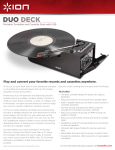
PLATTER – Place your record here.
2.
TONEARM – DUO DECK comes with a ready to use prebalanced tonearm and cartridge.
3.
ARM CLIP – This specially designed arm clip secures the
tonearm while at rest or when not in use. The arm clip has
been designed to remain in the up position while unlocked.
When a record is on the platter, place the arm clip down to
avoid scratching your vinyl.
4.
45 RPM ADAPTER HOLDER – Holds the included 45 RPM
adapter. When not using the adapter, please place it in this
holder.
5.
VOLUME/POWER KNOB – To power on DUO DECK, turn this
knob clockwise until it clicks. When powered on, use this knob to
adjust the volume. To turn off DUO DECK, turn this knob
counterclockwise until it clicks.
IMPORTANT: Make sure that the slipmat is
always placed on top of the platter while using
the turntable. Failure to use the slipmat may
cause damage to your media as well as damage
to the turntable.
6.
PHONO/TAPE SWITCH - Selects whether DUO DECK is set to
play audio from vinyl or the tapedeck.
Remove the plastic cartridge cover (needle
cover) before operating the turntable.
7.
33 / 45 SWITCH – This switch controls the RPM of the turntable
platter.
8.
SPEAKER – The record's audio will be played through this built-in
speaker.
9.
USB/BATTERY SWITCH – When the switch is in the “down” position, the
turntable and tapedeck will be powered through a USB connection – the
USB AUDIO OUTPUT connected to either (A) your computer or (B) wall
power, using the included USB-to-AC power supply. When the switch is in
the “up” position, the turntable and tapedeck will be powered by batteries
(if batteries are installed).
1
3
1
6
3
2
4
5
8
USB
6
7
9
BATT
10 11 12
10.
HEADPHONE OUTPUT – Connect 1/8" stereo headphones here (not
included). The speaker output stops playing audio once headphones are connected.
11.
USB PORT – Use the included USB cable to connect DUO DECK to your computer. The USB connection will provide
power to the turntable as well as the audio from the turntable or tapedeck to your computer. You can also power DUO
DECK by using the included USB cable and USB-to-AC power supply to connect DUO DECK to wall power.
2
4
5
Note: DUO DECK may appear as “USB Microphone” or “USB Composite Device” in your computer’s sound control
panel (even though the included EZ Vinyl/Tape Converter manual says it appears as “USB Audio Codec”).
12.
BATTERY COMPARTMENT – Remove the cover and place 4 AA batteries into this compartment. Be sure the positive
and negative poles of the batteries are facing the proper direction.
2
7
9
10 11