1
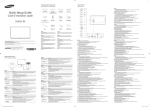
Connecting and Using a Source Device
Connexion et utilisation d’un peripherique source
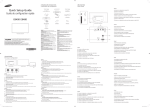
Troubleshooting Guide
Guide de depannage
[English]
Connecting to a PC
Connexion à un PC
RGB IN
Connecting to an Audio System
Branchement à un système audio
AUDIO OUT
[Svenska]
Issues
Solutions
Problem
Lösningar
The screen keeps switching on and off.
Check the cable connection between the product and PC, and ensure the connection is secure.
Skärmen håller på att slås på och av.
Kontrollera kabelanslutningen mellan produkten och datorn och se till att anslutningen är säker.
“No Signal” is displayed
on the screen.
Check that the product is connected correctly with a cable.
Check that the device connected to the product is powered on.
“Not Optimum Mode” is displayed.
This message is displayed when a signal from the graphics card exceeds the product’s
maximum resolution and frequency.
Refer to the Standard Signal Mode Table and set the maximum resolution and frequency
according to the product specifications.
Problèmes
Solutions
L’écran s’allume et s’éteint continuellement.
Vérifiez que le câble est connecté correctement entre l’appareil et l’ordinateur.
“Aucun signal” s’affiche à l’écran.
DVI IN / MAGICINFO IN
“Mode non optimal” est affiché.
Connecting an External Monitor
Branchement à un moniteur externe
Vérifiez que l’appareil est connecté correctement à l’aide d’un câble.
Assurez-vous que le périphérique connecté à l’appareil est sous tension.
Ce message s’affiche lorsqu’un signal émis par la carte graphique est supérieur à la
fréquence et la résolution maximales de l’appareil.
Consultez le tableau des modes de signal standard et réglez la fréquence et la résolution
maximales conformément aux spécifications de l’appareil.
[Deutsch]
DP OUT
RGB / DVI / HDMI / AV / COMPONENT / AUDIO IN
RS232C IN
RS232C OUT
HDMI IN
RS232C IN
HUB
AV IN / COMPONENT IN
RGB / DVI / HDMI / AV / COMPONENT / AUDIO IN
RJ45
AV IN / COMPONENT IN
Überprüfen Sie, ob das Gerät korrekt über ein Kabel angeschlossen ist.
Überprüfen Sie, ob das angeschlossene Gerät eingeschaltet ist.
Diese Meldung wird angezeigt, wenn ein Signal von der Grafikkarte die
maximale Aulösung und Frequenz des Geräts überschreitet.
Schlagen Sie in der Tabelle der Standardsignalmodi nach und stellen Sie die maximale
Auflösung und Frequenz gemäß den technischen Daten des Geräts ein.
HDMI IN
RGB / DVI / HDMI / AV / COMPONENT / AUDIO IN
Soluções
Lo schermo si accende e si spegne.
O ecrã está continuamente a ligar e a
desligar.
Verifique a ligação do cabo entre o produto e o PC, e certifique-se de que a ligação está bem
efectuada.
Verificare che il prodotto sia collegato correttamente mediante cavo.
A mensagem “Sem sinal” é apresentada
no ecrã.
Verifique se o produto está ligado correctamente com um cabo.
Verificare che il dispositivo collegato al prodotto sia acceso.
Questo messaggio viene visualizzato quando il segnale proveniente dalla scheda grafica
supera la risoluzione e la frequenza massima del prodotto.
Vedere la Tabella delle modalità standard del segnale e impostare la frequenza e la
risoluzione massima in base alle specifiche del prodotto.
HDMI IN
[DMD65~75-EU-QSG]BN68-05860C-01.indd 2
Consulte a Tabela do modo de sinal padrão e defina a resolução e a frequência máximas de
acordo com as especificações do produto.
[Türkçe]
Sorunlar
Çözümler
La pantalla se enciende y se apaga
continuamente.
Compruebe la conexión del cable entre el producto y el PC, asegúrese de que la conexión
sea firme.
Ekran açılıp kapanmaya devam ediyor.
Ürün ve PC arasındaki kablo baglantısını kontrol edin ve baglantının saglam oldugundan
emin olun.
“Sin señal” se muestra en la pantalla.
Se muestra ”Modo no óptimo”.
Compruebe que el producto esté conectado correctamente con un cable.
Compruebe que el dispositivo conectado al producto esté encendido.
Este mensaje se muestra cuando una señal de la tarjeta gráfica supera la frecuencia y la
resolución máxima del producto.
Consulte la Tabla de los modos de señal estándar y configure la frecuencia y la resolución
máximas en función de las especificaciones del producto.
Ekranda “Sinyal Yok” görüntüleniyor.
“Uygun Olmayan Mod” görüntüleniyor.
Model Name
Country
Customer Care Centre
Panel
AUSTRIA
0810 - SAMSUNG (7267864, € 0.07/min)
BELGIUM
02-201-24-18
BOSNIA
051 331 999
BULGARIA
07001 33 11, share cost tariff
CROATIA
062 SAMSUNG (062 726 786)
CYPRUS
8009 4000 only from landline
CZECH
800 - SAMSUNG (800-726786)
Samsung Electronics Czech and Slovak, s.r.o. V Parku 2343/24, 148 00 - Praha 4
030-6227 515
FRANCE
01 48 63 00 00
GERMANY
0180 6 SAMSUNG bzw.
0180 6 7267864*
(*0,20 €/Anruf aus dem dt. Festnetz, aus dem Mobilfunk max. 0,60 €/Anruf)
GREECE
80111-SAMSUNG (80111 726 7864) only from land line
(+30) 210 6897691 from mobile and land line
RS232C IN
HUNGARY
06-80-SAMSUNG (726-7864)
RS232C OUT
ITALIA
800-SAMSUNG (726-7864)
LATVIA
8000-7267
LITHUANIA
8-800-77777
LUXEMBURG
261 03 710
MONTENEGRO
020 405 888
NETHERLANDS
0900 - SAMSUNG
(0900-7267864) (€ 0,10/Min)
[Svenska]
For details on how to use the MDC programme, refer to
Help after installing the programme.
The MDC programme is available on the website.
Information om hur du använder programmet hittar du i
hjälpen när du har installerat programmet.
MDC-programmet är tillgängligt på webbplatsen.
[Français]
[Magyar]
Pour obtenir des détails sur la manière d'utiliser le
programme MDC, reportez-vous à l'Aide après avoir
installé le programme.
Le programme MDC est disponible sur le site Web.
Az MDC program használatának részleteit a Súgóban
találja, a program telepítését követően.
Az MDC program a honlapon érhető el.
NORWAY
815 56480
[Polski]
POLAND
0 801-172-678*
lub +48 22 607-93-33 **
*(całkowity koszt połączenia jak za 1 impuls według taryfy operatora)
** (koszt połączenia według taryfy operatora)
PORTUGAL
808 20 - SAMSUNG (808 20 7267)
ROMANIA
08008 SAMSUNG (08008 726 7864) TOLL FREE No.
Para obter mais detalhes sobre como usar o programa
MDC, consulte a Ajuda depois de instalar o programa.
O programa MDC está disponível no site.
SERBIA
011 321 6899
SLOVAKIA
0800 - SAMSUNG (0800-726 786)
[Español]
[Türkçe]
SPAIN
902172678
Para obtener información sobre cómo usar el programa
MDC, consulte la Ayuda tras instalar el programa.
El programa MDC está disponible en el sitio web.
MDC programını nasıl kullanacağınızla ilgili ayrıntılar için,
programı yükledikten sonra Yardım bölümüne bakın.
MDC programına web sitesinden ulaşılabilir.
SWEDEN
0771 726 7864 (SAMSUNG)
SWITZERLAND
0848 - SAMSUNG
(7267864, CHF 0.08/min)
U.K
0330 SAMSUNG (7267864)
Ürünün bir kabloyla dogru sekilde baglandıgını kontrol edin.
Cihazın baglı oldugu ürünün açık oldugunu kontrol edin.
Bu mesaj, grafik kartından gelen bir sinyal ürünün maksimum çözünürlügünü ve frekansını
astıgında görüntülenir.
Standart Sinyal Modu Tablosu’na bakın ve ürünün teknik özelliklerine uygun olarak
maksimum çözünürlügü ve frekansı ayarlayın.
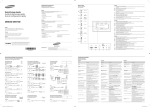
Specifications
Caractéristiques techniques
- Download the user manual from the website for further details.
- Téléchargez le manuel utilisateur du site Web pour obtenir plus de détails.
800-7267
Per ulteriori dettagli su come utilizzare il programma MDC,
selezionare la guida dopo l'installazione del programma.
Il programma MDC è disponibile sul sito Web.
Esta mensagem é apresentada quando um sinal da placa gráfica ultrapassa a resolução e a
frequência máximas do produto.
Soluciones
FINLAND
[Português]
A mensagem “Modo inadequado” é
apresentada.
Verifique se o dispositivo ligado ao produto está ligado.
Problemas
ESTONIA
[Italiano]
Patrz Tabela trybu standardowego i ustaw maksymalna rozdzielczosc i czestotliwosc zgodnie
ze specyfikacja urzadzenia.
Problemas
70 70 19 70
Szczegółowe informacje na temat korzystania z
programu MDC można znaleźć w pomocy dostępnej po
zainstalowaniu programu. Program MDC jest dostępny na
stronie internetowej.
Komunikat ten pojawia sie, gdy sygnał z karty graficznej przekroczy maksymalna
rozdzielczosc i czestotliwosc urzadzenia.
Pojawia sie komunikat
„Niewłasciwy tryb”.
Controllare la connessione del cavo tra il prodotto e il PC e verificare che il collegamento
sia sicuro.
0818 717100
Informationen zur Verwendung des Programms MDC
finden Sie nach der Installation in der Hilfe.
Das Programm MDC ist auf der Website erhältlich.
Sprawdz, czy urzadzenie podłaczone do monitora jest właczone.
[Português]
[English]
[Deutsch]
Upewnij sie, ze urzadzenie jest prawidłowo podłaczone kablem.
Na ekranie pojawia sie komunikat
„Brak sygnału”.
Soluzioni
RS232C OUT
RGB / DVI / HDMI / AV / COMPONENT / AUDIO IN
A Szabványos jelmód táblázat alapján állítsa be a készülék muszaki jellemzoinek
megfeleloen a maximális felbontást és frekvenciát.
Problemi
EIRE
RS232C IN
Ez az üzenet akkor jelenik meg, ha a videokártyától érkezo jel felbontása és frekvenciája
meghaladja a készülék maximális felbontását vagy frekvenciáját.
Sprawdz połaczenie miedzy urzadzeniem a komputerem i upewnij sie, ze zostało wykonane
poprawnie.
DENMARK
RS232C OUT
Megjelenik a „Not Optimum Mode”
üzenet.
Ekran naprzemiennie włacza sie i wyłacza.
[Contact SAMSUNG WORLD WIDE]
[Comment contacter Samsung dans le monde]
Web site: www.samsung.com/displaysolutions
Connecting to a Video Device
Connexion à un appareil vidéo
Ellenorizze, hogy be van-e kapcsolva a kijelzohöz csatlakoztatott eszköz.
Rozwiązanie
RS232C OUT
RJ45
Gyozodjön meg arról, hogy a készülék megfeleloen van csatlakoztatva a kábellel.
A „No Signal” üzenet látható a
képernyon.
Problem
“Mod non ottimale” viene visualizzato
a schermo.
RS232C OUT
A képernyo felváltva be- és kikapcsol.
Überprüfen Sie die Kabelverbindung zwischen dem Gerät und dem PC.
[Español]
RGB / DVI / HDMI / AV / COMPONENT / AUDIO IN
Megoldások
Ellenorizze a készülék és a számítógép közötti kábeles kapcsolatot, és gyozodjön meg
arról, hogy a csatlakoztatás stabil.
Der Bildschirm wird ständig ein- und
ausgeschaltet.
Sullo schermo viene visualizzato il
messaggio “Assenza di segnale”.
RS232C IN
Problémák
[Polski]
[Italiano]
HDMI IN
Se tabellen för standardsignalläge och ställ in maximal frekvens enligt
produktspecifikationerna.
Lösungen
Die Meldung „ungeeign. Modus“ wird
angezeigt.
Connecting to MDC
Connexion à MDC
Meddelandet “Ej optimalt läge” visas.
Meddelandet visas när en signal från grafikkortet överskrider produktens maximala
upplösning och frekvens.
Problem
Die Meldung „Kein Signal“ wird auf dem
Bildschirm angezeigt.
DP IN
Kontrollera att enheten som är ansluten till produkten som är påslagen.
[Magyar]
[Français]
RGB / DVI / HDMI / AV / COMPONENT / AUDIO IN
Kontrollera att produkten är korrekt ansluten med en kabel.
“Ingen signal” visas på skärmen.
DM65D
DM75D
Size
65 CLASS (64.5 inches / 163 cm)
75 CLASS (74.5 inches / 189 cm)
Display area
1428.48 mm (H) x 803.52 mm (V)
1650.24 mm (H) x 928.26 mm (V)
Dimensions (W x H x D)
1467.4 x 848.0 x 56.2 mm
1676.2 x 959.5 x 88.4 mm
Weight (Without Stand)
27.4 kg
34.1 kg
Power Supply
AC 100 to 240 VAC (+/- 10%), 60 / 50 Hz ± 3 Hz
Refer to the label at the back of the product as the standard voltage can vary in
different countries.
Environmental
considerations
Operating
Temperature : 32°F ~ 104°F (0°C ~ 40°C)
Humidity : 10 % – 80 %, non-condensing
Storage
Temperature : -4°F ~ 113°F (-20°C ~ 45°C)
Humidity : 5 % – 95 %, non-condensing
- Plug-and-Play
This monitor can be installed and used with any Plug-and-Play compatible systems.
Two-way data exchange between the monitor and PC system optimizes the monitor settings.
Monitor installation takes place automatically. However, you can customize the installation settings if desired.
- Due to the nature of the manufacturing of this product, approximately 1 pixel per million (1ppm) may appear brighter or darker on
the panel. This does not affect product performance.
- This device is a Class A digital apparatus.
PowerSaver
Economiseur d’énergie
PowerSaver
Normal Operation
Rating
Power Indicator
Power Consumption
Typical
Max
Off
DM65D
240 W
200 W
264 W
DM75D
280 W
233 W
308 W
Power saving mode
(SOG Signal : Not
Support the DPM Mode)
Power off
Power off
(Power Switch)
Blinking
On
Off
0.5 W
0.5 W
0W
- The displayed power consumption level can vary in different operating conditions or when settings are changed.
- SOG (Sync On Green) is not supported.
- To reduce the power consumption to 0, turn off the switch at the back or disconnect the power cord. Disconnect the power cable if
you will not be using the product for an extended period of time (during vacation, etc.).
2014-07-22
1:46:34